 Tendrl
Services Overview
A Service is a named set of validation rules you attach to an entity. When that entity sends a publish message, the service checks it and records the outcome on the stored message. Services validate and tag; they do not transform message data or perform routing themselves (routing is done by tags and connectors).
What is a Service?#
A service contains one or more dynamic actions. Each dynamic action defines:
requiredFields: fields that must be present in the messagedata.rules: field-level checks (operators likebetween,eq,in; see Validation Rules).tags: tags injected onto the message when this action's validation fails, so flows can route failed messages.
Validation is passive: a message that fails is still stored (marked validation_status: "failed" with actionResults attached), never rejected.
Attaching a Service to an Entity#
A service applies to an entity only when the entity references it. Set the entity's Service field (dashboard) or service property (API) to the service name. From then on, that entity's publish messages are validated against the service's dynamic actions.
Creating Services#
- Navigate to Services
- Click the + button (tooltip: Create Service)
- Add dynamic actions with their rules, required fields, and tags
- Save
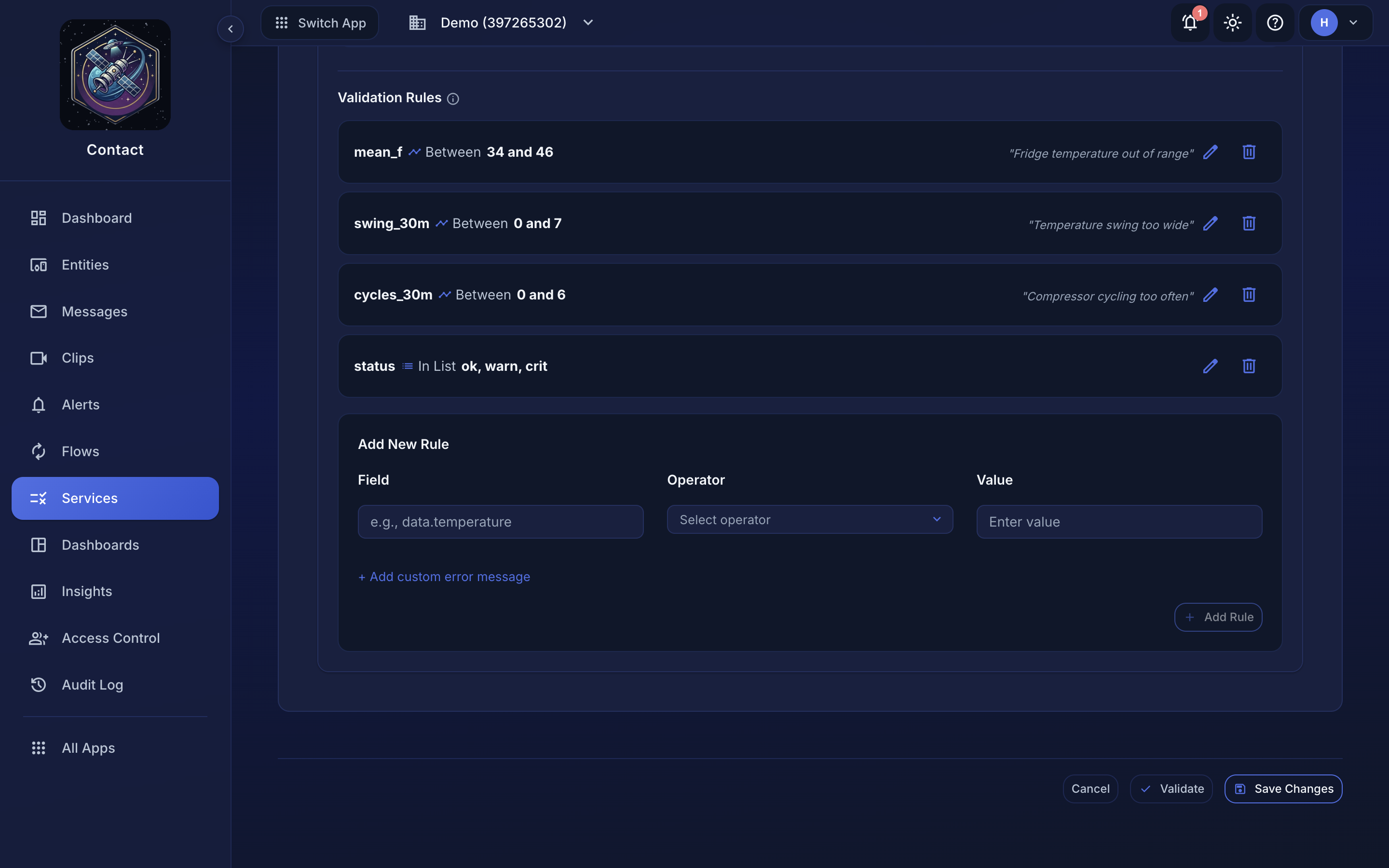 Building a validation rule (Field · Operator · Value) in the service editor.
See Creating Services for the full JSON shape and Validation Rules for the operator reference.
Services power dashboards#
The rules you declare do double duty: dashboards bind widgets to service fields, and the declared shape decides what each widget can offer. A between rule becomes an expected band on a line chart, and an in rule becomes a status tile with your declared states. A service with well-written rules gets a useful dashboard with no extra configuration.
