 Tendrl
AI Skills
When you connect an AI assistant to the Contact MCP server, it automatically receives skills: guided instructions that teach the assistant how to use the tools effectively. No plugins or extra installation needed.
Setup#
Add the Contact MCP server to your Claude Code configuration (.mcp.json in your project root or ~/.claude.json globally):
{
  "mcpServers": {
    "contact": {
      "type": "http",
      "url": "https://app.tendrl.com/contact/mcp",
      "headers": {
        "Authorization": "Bearer <CONTACT_API_KEY>"
      }
    }
  }
}
Create API keys in the Contact dashboard under Access Control → API Keys.
The MCP tools call IAM- and account-gated endpoints. Connect with an account API key whose role grants those actions (the built-in Admin role is the simplest choice). An entity-bound key with the DefaultEntity role will connect but 403 on nearly every tool.
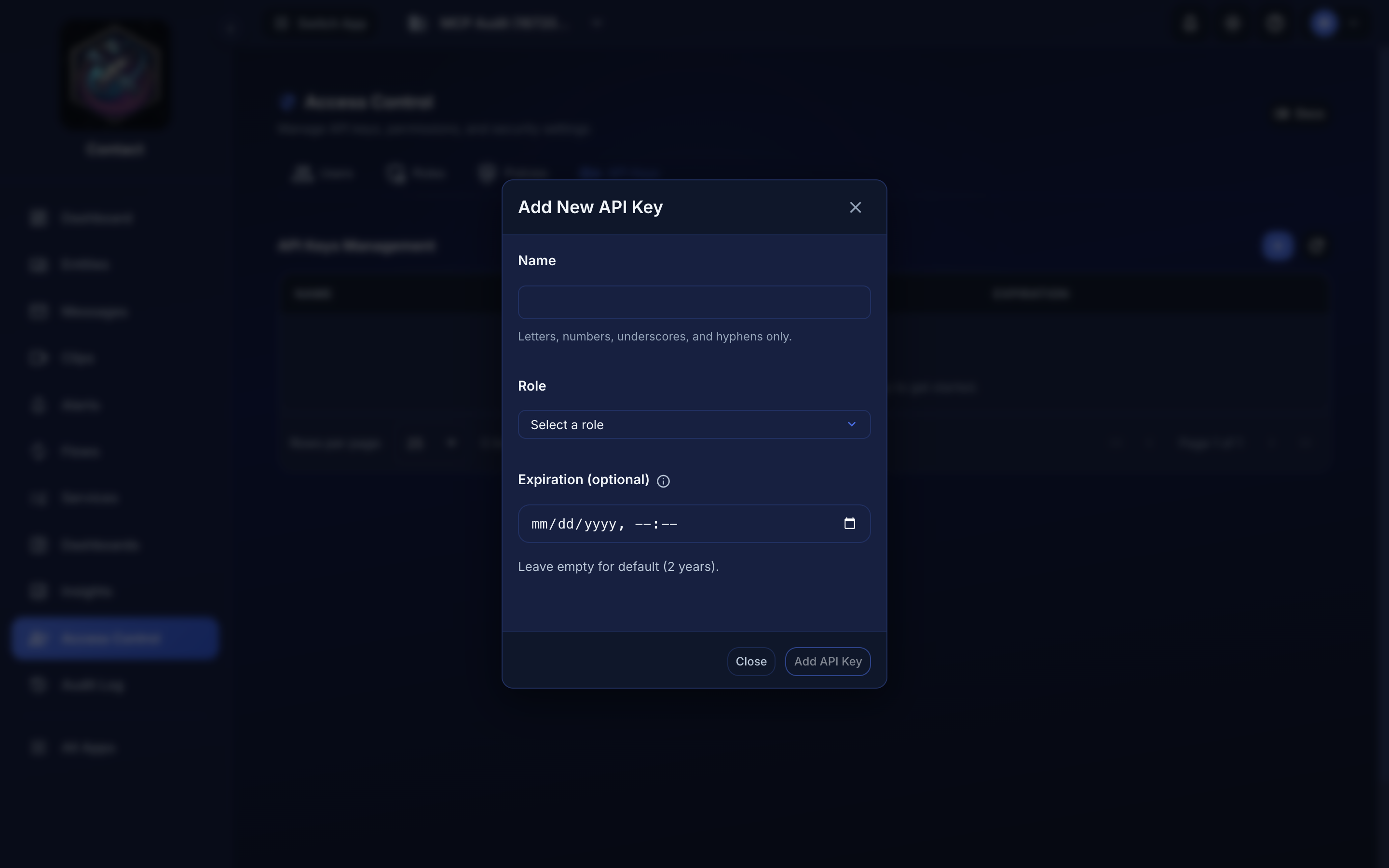 Access Control → API Keys → Add. The Role you pick here is what decides whether the MCP tools work — this is an account key, not a device's own key.
Once connected, Claude automatically discovers the available skills.
How it works#
The Contact MCP server serves skills as MCP resources alongside its documentation. When any MCP client connects, it calls resources/list and sees the available skills. When you ask a question that matches a skill, the AI assistant reads the skill content via resources/read and uses it to guide which tools to call, what parameters to use, and how to interpret results.
This works with Claude Code, Cursor, Claude Desktop, and any MCP-compatible client. No plugins, no file downloads, no extra configuration; the skills ship with the server itself.
Skills#
You don't need to remember tool names or parameters. Just describe what you want.
| Skill | What it does | Example triggers |
|---|---|---|
contact-devices |
Register devices, list entities, search messages, manage fanouts | "register a new temperature sensor", "show my devices", "search messages from last week" |
contact-admin |
Set up flows, manage connectors, services, roles, API keys, and usage | "set up a flow", "create a read-only role", "check my usage" |
contact-dashboards |
Discover what devices publish, build dashboards (charts, gauges, fleet tables, status tiles), and run ad-hoc analytics | "build a dashboard for my sensors", "which device is hottest right now", "compare this week's validation rate to last week" |
How skills work#
When you ask Claude something like "register a new temperature sensor," it reads the contact-devices skill from the server which provides context on:
- Which tool to call (
create_entity) - What parameters to include
- How to interpret the response
- Common follow-up patterns (e.g., grouping the new entity)
Local Dev Server#
If you work with physical MicroPython devices, also add the local dev server to your MCP config:
{
  "mcpServers": {
    "tendrl-dev": {
      "command": "tendrl-dev-mcp"
    }
  }
}
This provides device provisioning, file management, and debugging skills. See Local Dev Server for details.
