 Tendrl
Policies
Policies define fine-grained access rules that control what actions users can perform on which resources. Policies use an IAM-style statement format with namespaced actions.
The editor has two views of the same policy. Policy Builder is the visual form — pick an effect, a resource, and the actions to grant, grouped by namespace — and JSON is the raw statement document for anything the form does not cover, such as conditions written by hand. Switching views never changes the policy; they are two windows onto one document.
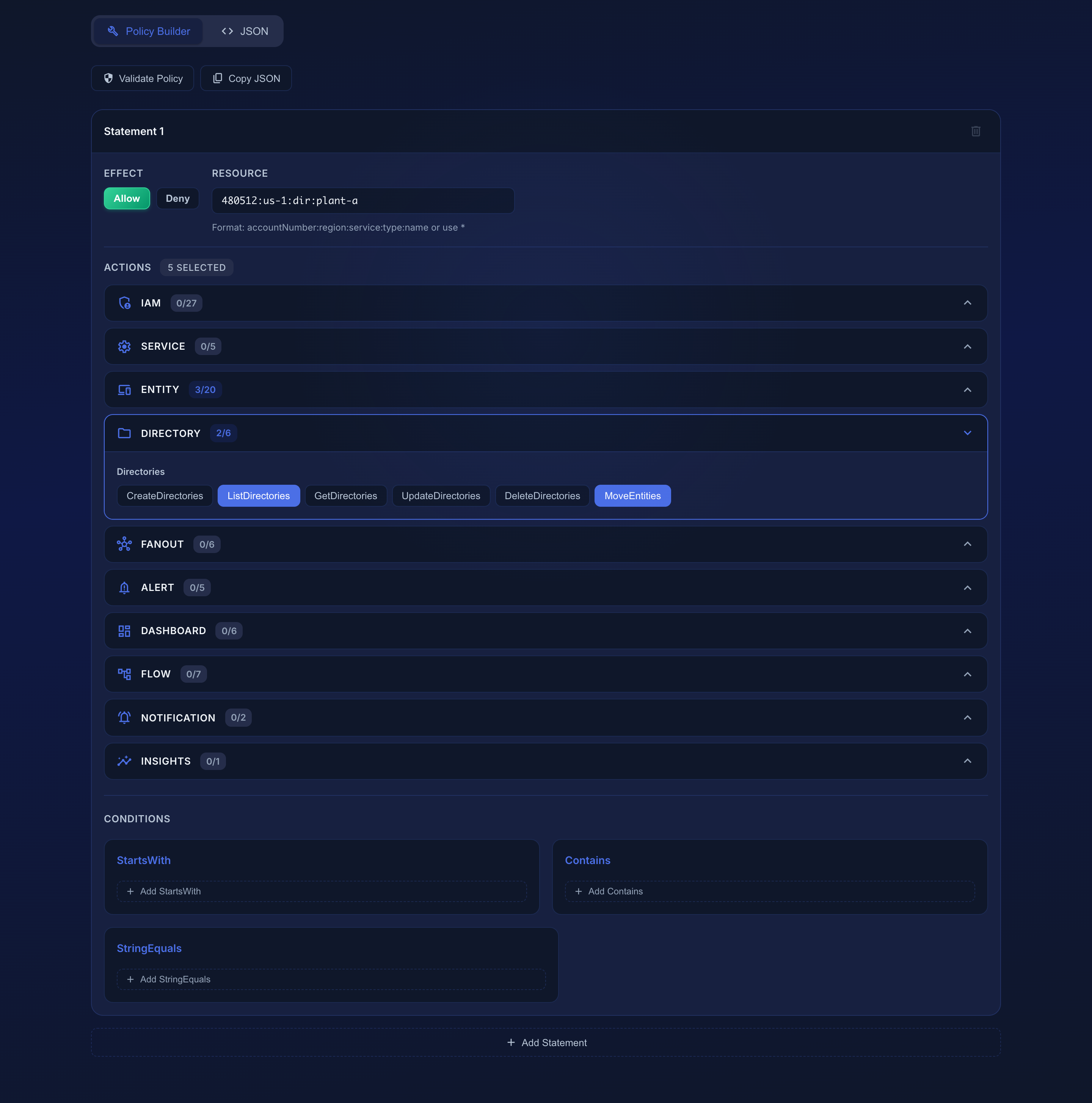 Access Control → Policies → Add. This statement grants read and directory actions on
 480512:us-1:dir:plant-a — a directory-scoped policy covering every device under /plant-a.
Policy Structure#
A policy contains one or more statements. Each statement specifies:
| Component | Description |
|---|---|
| Effect | Allow or Deny |
| Action | One or more namespaced operations (e.g., entity:ListEntities, flow:CreateConnectors) |
| Resource | Resource path pattern (* for all, or a specific path) |
| Condition | (Optional) Constraints like StartsWith, Contains, or StringEquals |
JSON Format#
{
  "Statement": [
    {
      "Effect": "Allow",
      "Action": ["entity:ListEntities", "entity:GetEntities"],
      "Resource": "*"
    }
  ]
}
The JSON view of the editor shows this document directly and edits are applied back to the builder, so you can start in the form and finish by hand. Validate Policy checks the document the way the API will before you save it.
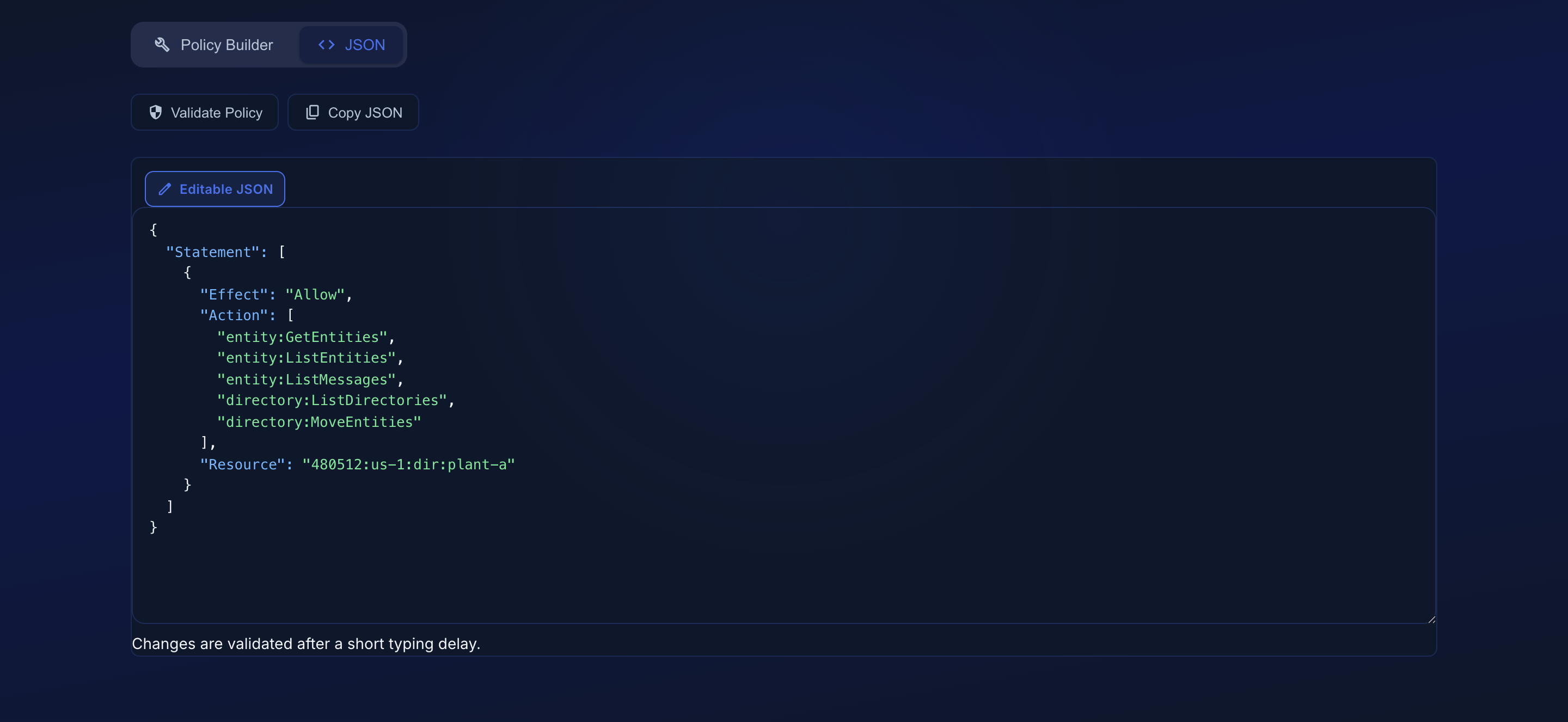 Access Control → Policies → Add → JSON.
Resource Paths#
Resources use the format {accountNumber}:{region}:{resourceType}:{resourceName}. For example:
12345:us-1:entity:sensor-0112345:us-1:connector:my-http-connector12345:us-1:service:temperature-service
Use * to match all resources.
Conditions#
A condition narrows when a statement applies. Each operator takes a map of field → value, and there are exactly three fields:
| Field | Compared against |
|---|---|
| Resource | The full resource path of the target ({accountNumber}:{region}:{resourceType}:{resourceName}) |
| Action | The namespaced action being attempted (e.g. entity:WriteMessages) |
| Subject | The caller — the user, entity, or API key making the request |
and three operators:
| Operator | Description |
|---|---|
| StartsWith | The field must begin with the given prefix |
| Contains | The field must include the given substring |
| StringEquals | The field must match exactly |
Resource conditions compare against the whole resource path, which begins with the account number and region, not the resource type. A prefix like entity:sensor- can never match. To match by name, anchor the prefix on the full path (or use Contains for a substring).
Only Resource, Action and Subject are evaluated. A statement whose only condition uses any other field name — including a typo like Subjekt — is treated as having no condition at all, so it applies unconditionally. The policy editor drops unknown fields before saving, but a policy submitted directly to the API is stored as written. Check condition field names when you author policies outside the dashboard.
Example — grant access only to entities named sensor-*:
{
  "Statement": [
    {
      "Effect": "Allow",
      "Action": ["entity:GetEntities", "entity:ListMessages"],
      "Resource": "*",
      "Condition": {
        "StartsWith": {
          "Resource": "12345:us-1:entity:sensor-"
        }
      }
    }
  ]
}
A Contains condition (e.g. "Resource": "entity:sensor-") is a convenient alternative when you want to match a name fragment without hard-coding the account number and region.
Subject conditions and cross-account writes#
A Subject condition constrains who the statement applies to. This is the only way to admit a write from another account: a same-account grant, however broad, never authorizes a cross-account writer. The destination account must opt in explicitly, per source:
{
  "Statement": [
    {
      "Effect": "Allow",
      "Action": ["entity:WriteMessages"],
      "Resource": "67890:us-1:*",
      "Condition": {
        "StartsWith": { "Subject": "12345:us-1:" }
      }
    }
  ]
}
Attached to a role on account 67890, this accepts writes from account 12345 and no one else. Without the Subject condition the statement grants nothing across accounts, no matter how permissive it looks.
Action Namespaces#
Actions are namespaced by resource type (namespace:Verb). This is the authoritative reference for the actions Contact enforces.
Entity (entity:)#
| Action | Allows |
|---|---|
entity:CreateEntities |
Register entities |
entity:ListEntities |
List entities |
entity:GetEntities |
Read an entity (and its heartbeat) |
entity:UpdateEntities |
Update entity metadata |
entity:DeleteEntities |
Delete entities |
entity:WriteMessages |
Send messages |
entity:ListMessages |
List and search messages across the account |
entity:GetMessages |
Read a single message |
entity:CheckMessages |
Poll for queued messages (/api/entities/check_messages) |
entity:GetEntityStatusTable |
Read entity status tables |
entity:UpdateEntityStatusTable |
Update entity status tables |
entity:Stream |
Publish a video/JPEG stream |
entity:ViewStream |
View an entity's stream |
entity:GetFile |
Download files |
entity:SendFiles |
Upload/send files |
entity:SendTerminal |
Send a terminal command to an entity |
entity:FileSystemAccess |
Issue filesystem commands to an entity |
entity:Connect |
Open an entity connection (WebSocket / MQTT session) |
entity:DeployCode |
Push a remote deployment to entities |
entity:Reboot |
Reboot an entity |
Fanout (fanout:)#
fanout:CreateFanouts, fanout:ListFanouts, fanout:GetFanouts, fanout:UpdateFanouts, fanout:DeleteFanouts, fanout:PublishToFanout
Directory (directory:)#
directory:CreateDirectories, directory:ListDirectories, directory:GetDirectories, directory:UpdateDirectories, directory:DeleteDirectories, directory:MoveEntities
directory:MoveEntities covers filing an entity into a directory or removing it from one. See Directories for how a directory-scoped policy works.
Alert (alert:)#
alert:CreateAlerts, alert:ListAlerts, alert:GetAlerts, alert:UpdateAlerts, alert:DeleteAlerts
Dashboard (dashboard:)#
dashboard:CreateDashboards, dashboard:ListDashboards, dashboard:GetDashboards, dashboard:UpdateDashboards, dashboard:DeleteDashboards, dashboard:QueryWidgetData
dashboard:QueryWidgetData is what a dashboard widget uses to fetch its series; a role that can view dashboards but lacks it will render empty widgets.
Notification (notification:)#
notification:ListNotifications, notification:UpdateNotifications
Flow / Connector (flow:)#
flow:ListFlows, flow:GetFlows, flow:ListConnectors, flow:GetConnectors, flow:CreateConnectors, flow:UpdateConnectors, flow:DeleteConnectors
Service (service:)#
service:ListServices, service:GetServices, service:CreateServices, service:UpdateServices, service:DeleteServices
IAM (iam:)#
| Group | Actions |
|---|---|
| Users & invites | iam:ListUsers, iam:GetUsers, iam:UpdateUsers, iam:DeleteUsers, iam:ListUserInvites, iam:CreateUserInvites, iam:DeleteUserInvites |
| Policies | iam:ListPolicies, iam:GetPolicies, iam:CreatePolicies, iam:UpdatePolicies, iam:DeletePolicies |
| Roles | iam:ListRoles, iam:GetRoles, iam:CreateRoles, iam:UpdateRoles, iam:DeleteRoles, iam:AssignAdminRole |
| API keys | iam:ListApiKeys, iam:GetApiKeys, iam:CreateApiKeys, iam:UpdateApiKeys, iam:DeleteApiKeys |
| Account | iam:GetAccounts, iam:UpdateAccounts, iam:GetClaims, iam:ListAuditLogs |
Insights (insights:)#
insights:GetInsights covers all insights endpoints (messages, entities, validation, flows, data usage, summary).
Built-in Policies#
Contact includes four built-in policies that cannot be modified or deleted, one per built-in role:
| Policy | Description |
|---|---|
| Admin | Full access to all resources (* action on all resources) |
| ReadOnly | Read and list access to entities, messages, connectors, flows, services, IAM and insights. Not alerts, directories, fanouts, or the audit log |
| FleetOperator | Device operations without account, billing or IAM access. See Roles |
| DefaultEntity | Default entity permissions for device/MQTT connections: send messages (entity:WriteMessages), poll for queued messages (entity:CheckMessages), stream (entity:Stream), send and fetch files (entity:SendFiles, entity:GetFile), connect (entity:Connect), and read/update its own status table. It intentionally does not grant entity:ListMessages, so a device cannot list or search other messages on the account. |
Policy Evaluation#
- Deny statements always take precedence over Allow statements
- If no policy explicitly allows an action, it is denied by default
- Policies are attached to roles, not directly to users
Policy Inheritance#
A policy can name another policy as its parent. The child then starts from everything the parent grants and adds its own statements on top — useful for a house baseline that several roles extend, since editing the baseline updates every policy built on it.
Set a parent in the policy editor with Inherit from an existing policy, or pass parentPolicyId when creating a policy through the API.
The rules, in order:
- A child adds to its parent. Every grant the child does not mention is inherited unchanged.
- Deny wins — for the actions it names, and only those. If a child denies
entity:WriteMessageson a resource its parent allowed for several actions, onlyentity:WriteMessagesis denied; the rest of the inherited grant stands. - A child cannot lift an inherited Deny. Re-allowing an action the parent denies has no effect. To grant it, remove the Deny from the parent.
- Conditional grants accumulate. Two statements for the same action and resource whose conditions differ are two independent grants; both apply. A child adding a
Subjectcondition does not replace the parent's. - Chains resolve top-down, to any depth. A grandparent's grant reaches the child unless something below denies it.
- Cycles are rejected. A policy cannot inherit from itself, directly or through a chain.
A child stores only its own statements; the parent's are resolved at evaluation time. Removing a permission from a parent removes it from everything that inherits it, immediately. The editor shows the parent's statements greyed out while you work, but it does not copy them into the child.
Directory-Scoped Policies#
A statement whose Resource is a directory path covers every entity filed in that directory and below:
{
  "Statement": [
    {
      "Effect": "Allow",
      "Action": ["entity:GetEntities", "entity:ListMessages", "entity:UpdateEntities"],
      "Resource": "12345:us-1:dir:plant-a"
    }
  ]
}
Grant this and the holder can work with every entity under /plant-a, including anything filed into /plant-a/line-3 later. You never list devices individually, and moving a device between directories moves its access with it.
Matching is exact on path segments: a policy naming /plant does not cover /plant-a. Directory resource paths are shown under each folder in the Directories rail.
Directory scoping covers the full device surface: reading, updating and deleting entities, filing them into folders, and the per-device action endpoints — reboot, the remote command console and filesystem access, SDK pinning, provisioning-key rotation, status-table writes, and publishing to or managing the membership of a fanout filed in the subtree. Code deployments are scoped per target: a deploy to a mixed set delivers to the devices the grant covers and reports denied for the rest.
notification:UpdateNotifications (marking notifications read) is authorized at the account level. Notifications are account-wide rows with no resource path, so there is nothing narrower to scope them to.
directory:MoveEntities is checked against the entity being moved and against the destination folder (with its ancestor chain, so a grant on /plant-a covers filing into /plant-a/line-3). An operator scoped to one subtree cannot file devices into folders outside their grant. Removing an entity from a folder checks only the entity — unfiling has no destination.
