 Tendrl
Camera and Clips
On camera boards, the workspace grows two more tabs. Both answer the same question (what would this device actually see and send?), and both answer it entirely offline. The board needs no Wi-Fi, no API key, and no provisioning to use them. Frames travel up the USB cable and are rendered in the browser.
Camera#
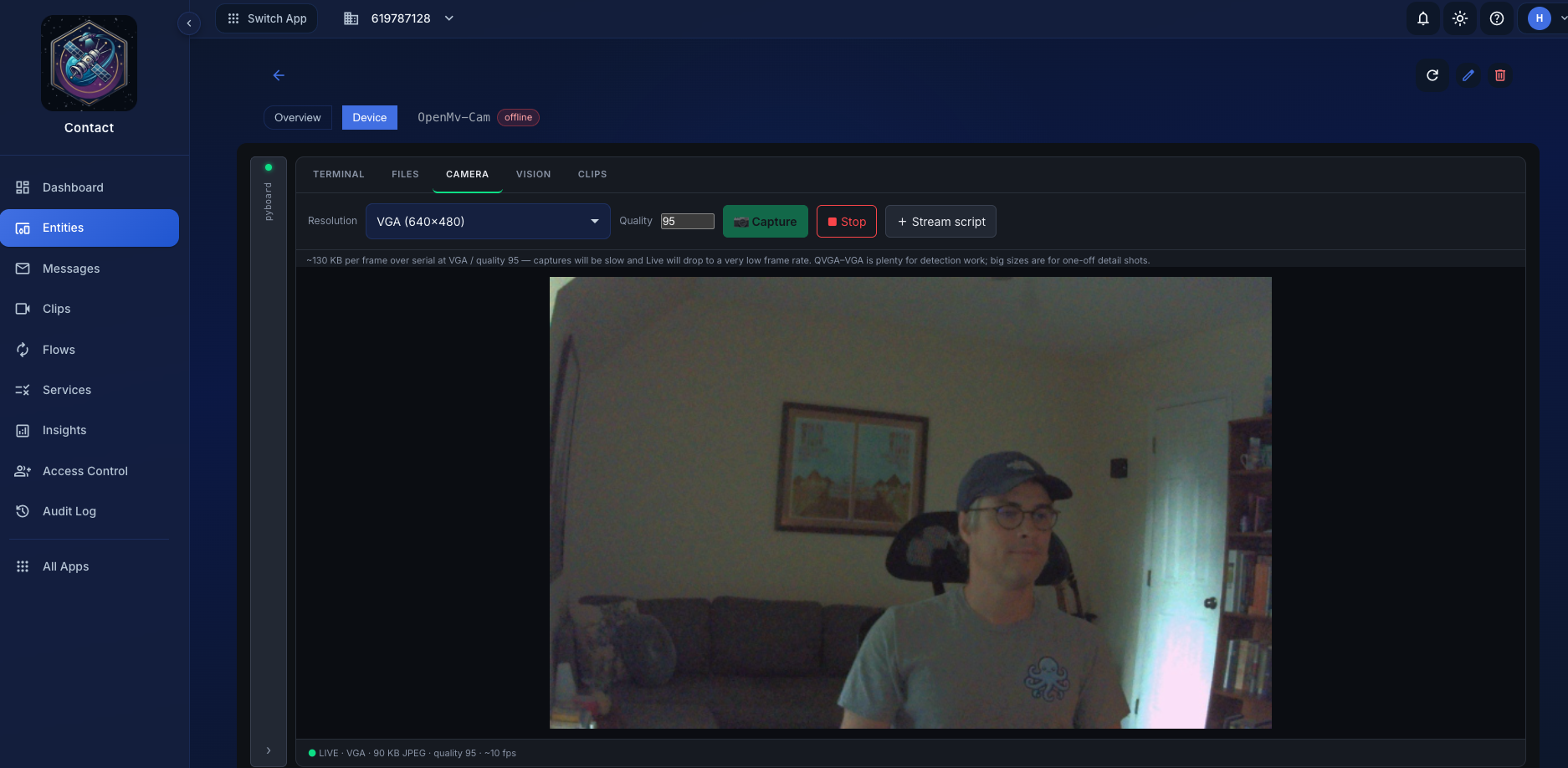
Three sources feed the same view:
- Capture: one frame, on demand.
- Live: a continuous loop of snapshots over the REPL, a few frames a second. It holds the REPL exclusively, so it stops when you switch tabs, disconnect, or start a script.
- Script: your own running
.pythat prints frames. This one is device-driven: the Camera tab just renders what your code emits, and the workspace switches to it automatically when frames start arriving.
Capture uses the SDK's exact default configuration (JPEG pixel format, set_quality, snapshot), so what you see is a faithful preview of what the device would stream, not an approximation.
Streaming from your own script#
Any script can push frames into this view by printing them with the TDLFRAME: marker. The SDK wraps that for you:
from tendrl import preview

while True:
    img = cam.snapshot()
    # run your detection here, BEFORE previewing, so you see what it saw
    preview.frame(img)
The Terminal recognizes those lines, hides them from the scrollback, and republishes them to the Camera view. This is how you watch your own processing loop run in real time.
Resolution and quality#
Resolutions run from QQVGA (160×120) to UXGA (1600×1200). The list is capped to what your sensor can actually do: the sensor chip is read at connect with sensor.get_id(), and sizes above its known ceiling are marked unsupported up front instead of letting you discover them by failure. OpenMV camera modules are swappable, so this is a property of the sensor, not the board.
JPEG quality tops out at 95. On sensors with a hardware JPEG encoder, quality 96–100 overflows the bounded frame buffer on most scenes; 95 is the safe ceiling and visually indistinguishable. Large framesizes can still overflow below that, in which case the device returns a clear error telling you to drop the resolution or quality.
The controls show an estimated frame size in KB as you change them, and an optional stats overlay reports live fps and timing.
Some sensors, including the PAG7936 on the OpenMV N6, have no hardware JPEG encoder. The capture path detects this and compresses in software instead, automatically. On the N6 that still runs well over 100 fps, so it isn't something you need to plan around.
Clips#
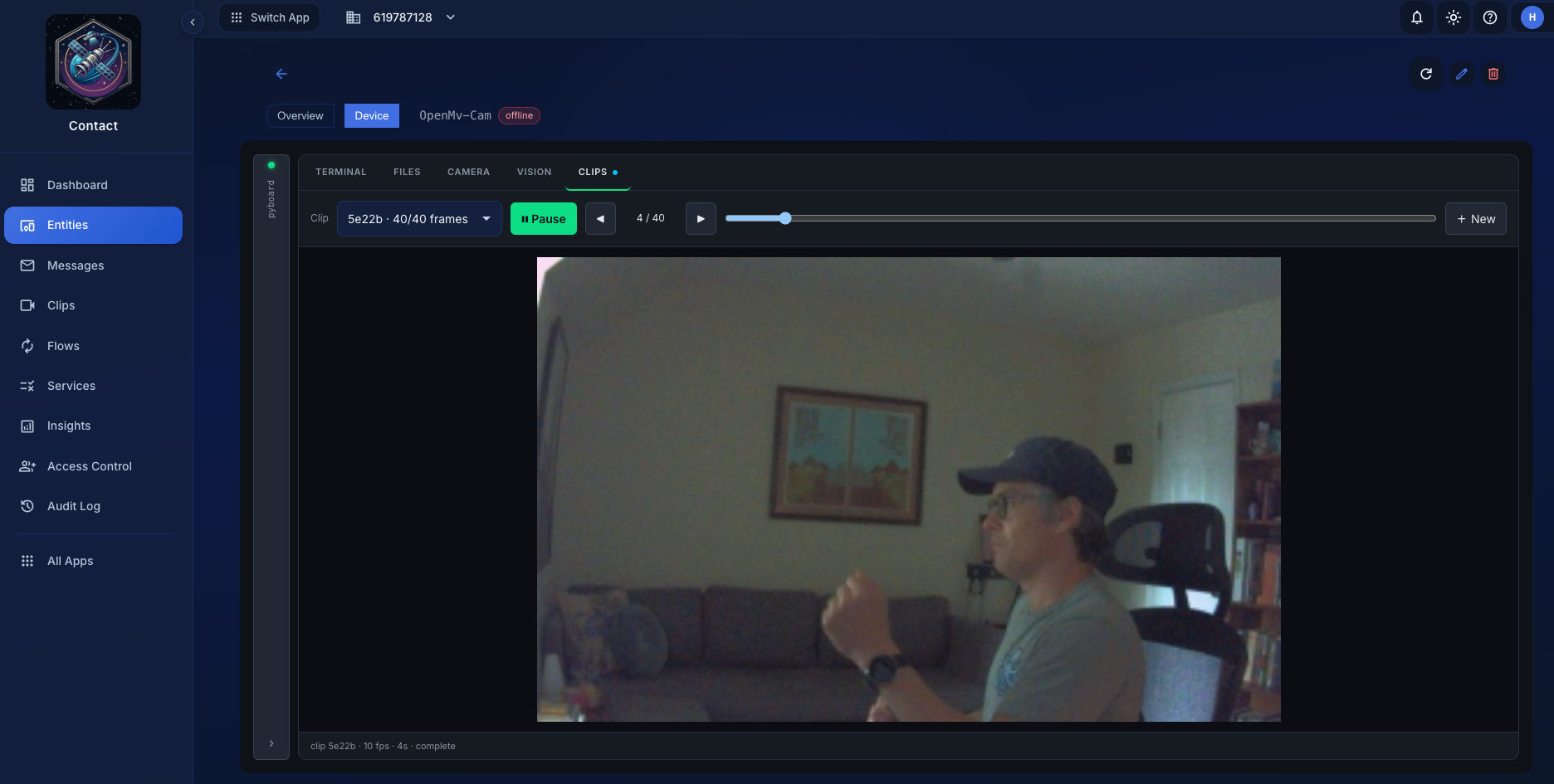
The Clips tab captures a burst (by default four seconds at 10 fps, QVGA) and assembles it into a playable strip. It is the answer to "if this device clipped an event right now, what would land in Contact?"
The snippet runs inline, straight from the tab. Nothing is written to the filesystem and nothing needs to be installed, not even the SDK. It works on a bare board with stock MicroPython on it.
Like everything else here, the frames are assembled in the browser. A clip you preview is not uploaded anywhere, and previewing costs you no storage and no scan against your quota. When you're happy with what you see, the real thing goes out through file transfer.
Next#
Once you can see what the camera sees, the Vision playground is where you turn that into a detector that publishes only when something changes.
