 Tendrl
Directories
Directories organize your fleet into a tree of folders: by site, line, customer, or however your deployment is structured. An entity lives in at most one directory, and a directory can hold sub-directories, so you can model something like /plant-a/line-3/sensors.
They exist to make a growing fleet manageable: instead of one flat list of every device, you get a browsable structure, and, importantly, you can grant access and deploy code to a whole subtree at once.
Building the tree#
Directories live on the Entities page, in the Directories rail down the left. The tree is a lens over your entity list, not a separate screen. Select All entities to see everything, or click a folder to filter the list to it.
- Create a folder: click the + on the Directories header for a root folder, or the new-folder icon on any folder row for a sub-folder, then type the name inline.
- File an entity: click Add to folder in that entity's Directory column and pick a folder (or Remove from folder). You can also drag an entity row straight onto a folder.
- Re-parent: drag a folder onto another; its whole subtree moves with it.
- Rename in place, and delete a folder once it's empty.
- Toggle Include sub-directories to show entities in nested folders too, or turn it off to see only what's filed directly in the selected folder.
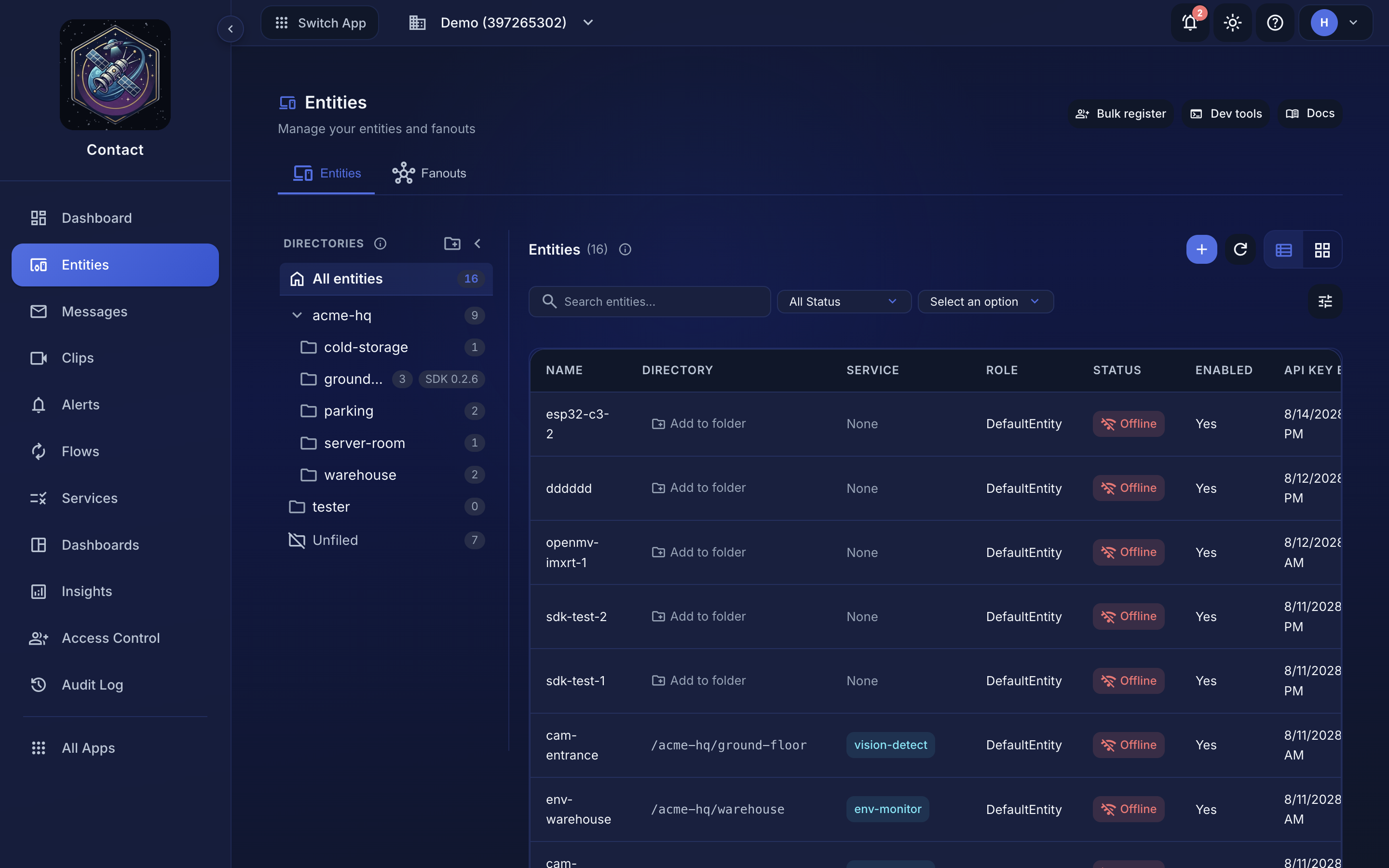 Selecting a folder filters the entity list to it and shows the subtree's resource path.
Scope access to a subtree#
Every directory has a resource path (shown beneath the folder when you select it, e.g. 480…:us-1:dir:plant-a:line-3). A policy scoped to that path covers every entity in that directory and below, so there is no need to list devices individually. Matching is exact on path segments — a policy naming /plant does not cover /plant-a.
This is how you delegate: give a site technician a policy scoped to their site's directory, and it automatically follows as you add or move devices within it. A teammate scoped at /plant-a sees and manages the devices under plant A, and no others.
What a directory-scoped policy covers
Everything about the devices in the subtree: seeing and managing them (read, update, delete, filing into folders) and operating them — reboot, the remote console and filesystem access, SDK pinning, provisioning-key rotation, status-table writes, and fanout publishing/membership for fanouts filed there. Code deployments are scoped per target, so a deploy touches only the devices the grant covers and reports the rest as denied. Give a site technician a policy scoped to their site's directory and they can genuinely run that site — and nothing outside it.
Moving a device into a folder requires rights on the device and on the destination folder (a grant on a parent covers its whole subtree). An operator scoped to /plant-a cannot file devices into someone else's folder. Removing a device from a folder checks only the device.
Deploying to a subtree#
When remote deployments are used, a directory is a natural deploy target: push an update to /plant-a/line-3 and it reaches every device in that subtree, with per-device status. Deploying to a small test directory first is the recommended way to stage a rollout before it goes wide.
A directory is about organization and access: where a device lives and who can manage it. A fanout is about messaging: sending one message or file to many devices at once. A device can be in a directory and also be a member of fanouts; they don't overlap.
