 Tendrl
MCP Server
Contact exposes an MCP-compatible JSON-RPC endpoint so AI assistants can manage entities, messages, flows, and platform configuration.
Endpoint#
POST https://app.tendrl.com/contact/mcp
Requires an API key: Authorization: Bearer <API_KEY>. Create keys in the Contact dashboard under Access Control → API Keys.
The MCP tools call IAM- and account-gated endpoints (roles, services, API keys, usage, and more). The key you connect with must be an account API key assigned a role that grants those actions; the built-in Admin role is the simplest choice. An entity-bound key with the DefaultEntity role will connect but return 403 on nearly every tool.
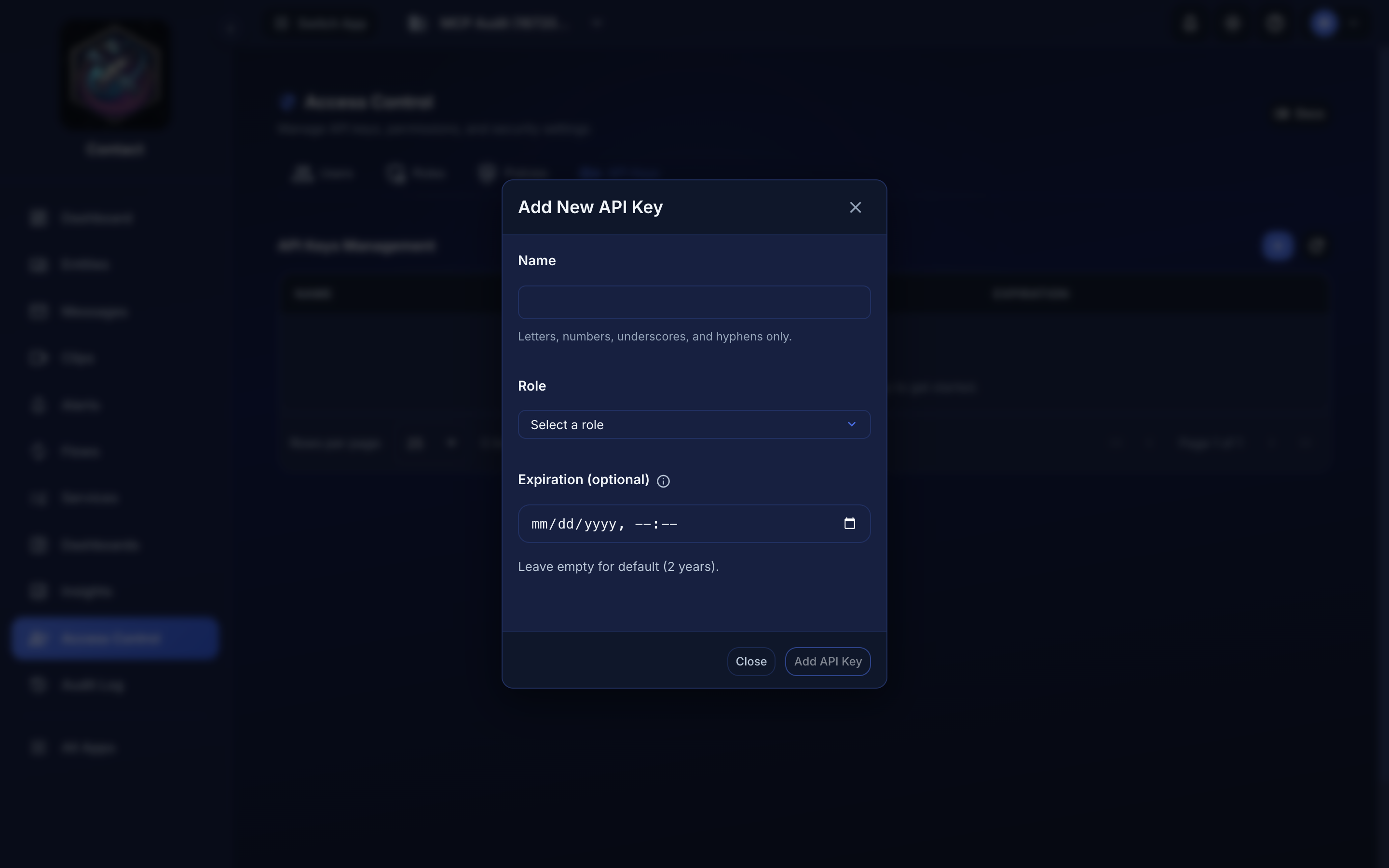 Access Control → API Keys → Add. The Role you pick here is what decides whether the MCP tools work — this is an account key, not a device's own key.
Available tools#
| Tool | Description |
|---|---|
create_entity |
Register a new IoT device/entity |
list_entities |
List all registered entities |
update_entity |
Update entity metadata by ID |
list_messages |
List messages from all entities |
search_messages |
Search messages with filters |
list_fanouts |
List fanouts |
get_fanout |
Get one fanout by ID, including its member entities |
create_fanout |
Create a new fanout |
update_fanout |
Update a fanout by ID |
add_entity_to_fanout |
Add an entity to a fanout |
remove_entity_from_fanout |
Remove an entity from a fanout |
publish_to_fanout |
Publish a message to every entity in a fanout |
list_flows |
List message routing flows |
search_flows |
Search flows with filters |
list_connectors |
List available flow connectors |
list_services |
List Contact services |
get_service |
Get one service, including its dynamic actions and validation rules (keyed by name) |
create_service |
Create a new service |
update_service |
Update a service by ID |
validate_service_config |
Dry-run a service definition (same payload as create_service) without saving it |
list_dashboards |
List the account's dashboards, full widget definitions included |
get_dashboard |
Get one dashboard by ID, with its full definition |
create_dashboard |
Create a dashboard: line, bar, stat, gauge, fleet table, donut, distribution, status, validation, liveness, text and header widgets, with series, thresholds, units and device selectors |
update_dashboard |
Replace a dashboard's name, description and definition (the document is stored whole) |
delete_dashboard |
Delete a dashboard by ID |
suggest_dashboard |
Build a starter dashboard definition for a service without saving it |
discover_fields |
List the data.* paths a service's devices actually publish, with inferred kinds, samples and ranges |
query_widget_data |
Run up to 48 widget data queries in one call (relative or absolute windows, buckets, per-device splits, previous-period compare), against the same endpoint dashboards render from |
list_directories |
List Contact directories (the fleet-organization tree) |
create_directory |
Create a directory, optionally under a parent |
list_roles |
List Contact roles |
create_role |
Create a new role |
update_role |
Update a role by ID |
get_usage |
Get data usage insights |
list_api_keys |
List API key metadata (names, roles, status, but not the token itself) |
create_api_key |
Create an account API key with a role. Returns the token once; it cannot be retrieved later |
search_docs |
Search Contact documentation (snippets with page URIs) |
read_doc |
Return one documentation page in full, by name |
Client setup#
Cursor#
In .cursor/mcp.json:
{
  "mcpServers": {
    "contact": {
      "type": "http",
      "url": "https://app.tendrl.com/contact/mcp",
      "headers": {
        "Authorization": "Bearer <CONTACT_API_KEY>"
      }
    }
  }
}
VS Code#
In .vscode/mcp.json:
{
  "servers": {
    "contact": {
      "type": "http",
      "url": "https://app.tendrl.com/contact/mcp",
      "headers": { "Authorization": "Bearer <CONTACT_API_KEY>" }
    }
  }
}
Claude Desktop#
In claude_desktop_config.json:
{
  "mcpServers": {
    "contact": {
      "type": "http",
      "url": "https://app.tendrl.com/contact/mcp",
      "headers": {
        "Authorization": "Bearer <CONTACT_API_KEY>"
      }
    }
  }
}
---
Examples#
List devices#
"Show me all my registered entities"
The AI calls list_entities and presents the results with names, IDs, and metadata.
Search message history#
"Find temperature readings above 80 from last week"
The AI calls search_messages with the appropriate filters and summarizes the results.
Set up message routing#
"Route all greenhouse sensor messages to my S3 bucket"
The AI calls list_connectors to find the S3 connector, then helps configure a flow to route messages from the fanout to the destination.
