 Tendrl
Entities Overview
Entities are the core building blocks of Tendrl. They represent any data source that sends messages to your platform.
What is an Entity?#
An entity can be:
- IoT Devices - Sensors, actuators, gateways
- Software Applications - Backend services, mobile apps
- External Systems - Third-party integrations
Each entity has:
- A unique name/identifier
- A role that controls its permissions
- Optional metadata (arbitrary key-value pairs)
- A single API key, issued automatically at creation, used to authenticate the entity
- Associated messages and a persistent state table
How Entities Fit Together#
Everything belongs to your account. Entities are created directly on it -- neither a directory nor a fanout is required to have one:
Account
├── Directories   Nestable folders. An entity lives in at most one.
├── Entities      Devices, applications, and external systems.
│   ├── API key   Exactly one, issued automatically at creation.
│   └── Messages  Sent to and received from other entities.
└── Fanouts       Routing targets that hold a member list of entities.
Directories and fanouts both point at entities rather than containing them, and they answer different questions:
- A directory is where an entity lives. Each entity sits in one directory, or none at all if it is unfiled. Directories nest to any depth, and they govern organization and access.
- A fanout is how you address many entities at once. An entity can be a member of several fanouts or none, and joining one does not move or change the entity.
Key Concepts#
Fanouts#
Fanouts are message-routing targets: publish once to a fanout and Contact delivers the message to every entity in it. Use them to address many entities at once, for example sending a command to all devices in a zone or broadcasting an update to a fleet. See Fanouts for details.
API Keys#
Each entity has one API key, issued automatically at creation:
- The key authenticates message submissions from the entity
- Rotate the key from Access Control → API Keys if it leaks
- Deleting the entity revokes its key
Managing Entities#
Create an Entity#
- Navigate to Entities in the sidebar
- Click Create Entity
- Configure name and role
- Click Create
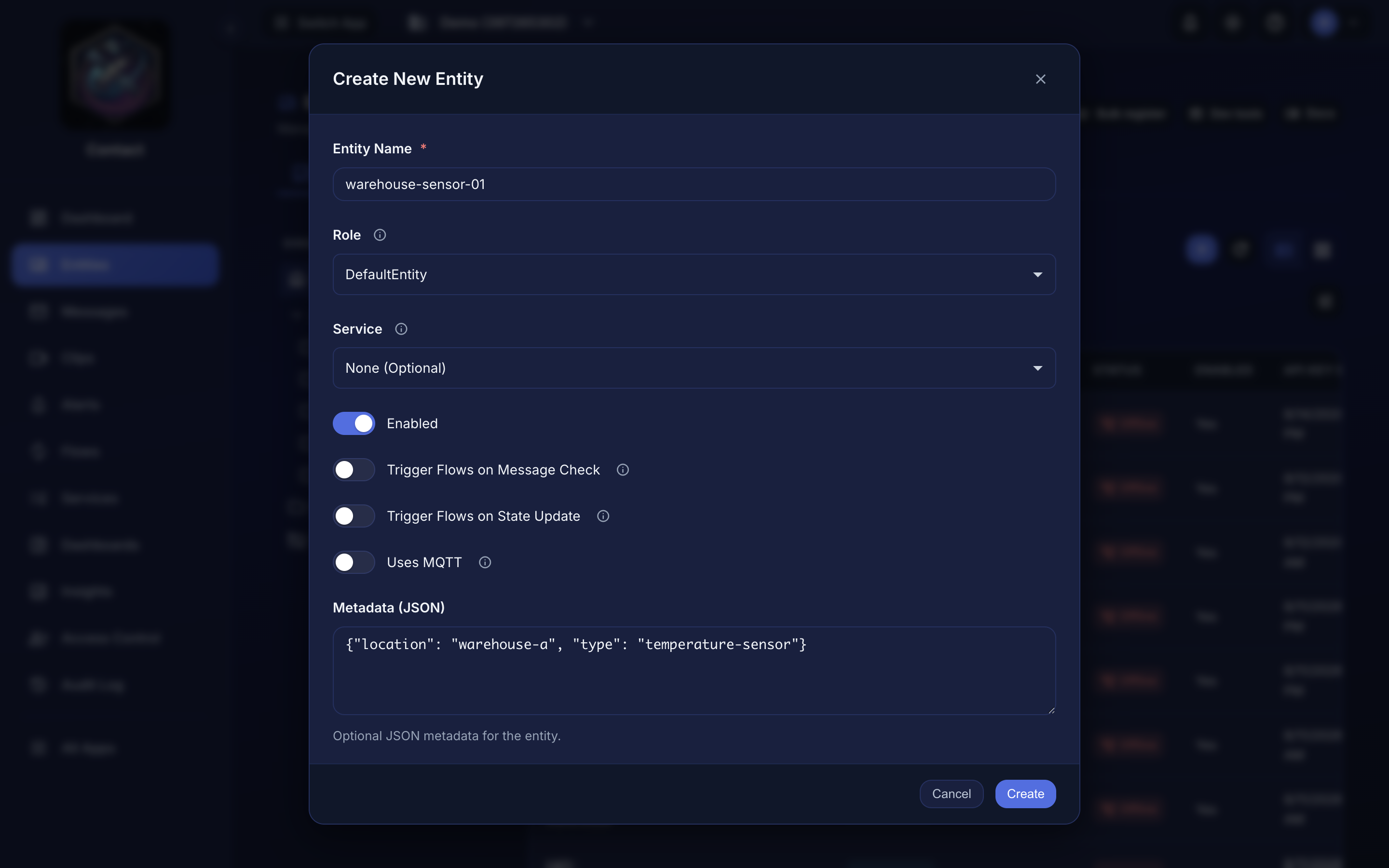 Creating an entity from the dashboard.
Edit an Entity#
- Find the entity in the list
- Click the edit icon or entity name
- Modify the fields
- Click Save
Delete an Entity#
- Find the entity in the list
- Click the delete icon
- Confirm deletion
Deleting an entity is permanent and revokes its API key. Messages it already sent stay in history until your plan's retention window expires.
Next Steps#
- Creating Entities
- Fanouts
- API Keys
- Alerts -- get notified when an entity goes offline or reports a value you care about
