 Tendrl
Connecting Nodes
Learn how to connect nodes to create workflow execution paths.
Basic Connection#
- Click and drag from a node's output handle (blue)
- Drag to another node's input handle (green)
- Release to create the connection
Which edge of the node a handle sits on depends on the canvas orientation — the Vertical / Horizontal toggle in the toolbar. The colors do not change.
Connections Are Unconditional#
Every edge is always traversed: connections have no condition or relationship type. Data flows from the source node's output to the target node's input.
To branch, filter, or iterate, use a Logic node (its if/else and each/done handles route the flow). See Conditional Logic.
Multiple Connections#
One-to-Many#
A single node can have multiple output connections:
        ┌-> [Node B]
[Node A] |-> [Node C]
        └-> [Node D]
Many-to-One#
Multiple nodes can connect to a single input:
[Node A] --┐
[Node B] --┼-> [Node C]
[Node D] --┘
When multiple nodes connect to the same target, they execute in parallel. The target node receives events from all sources.
Handles#
Each node has handles you drag between:
- Blue handles are outputs: data flows out.
- Green handles are inputs: data flows in.
Execution always follows the edge from the source (output) to the target (input).
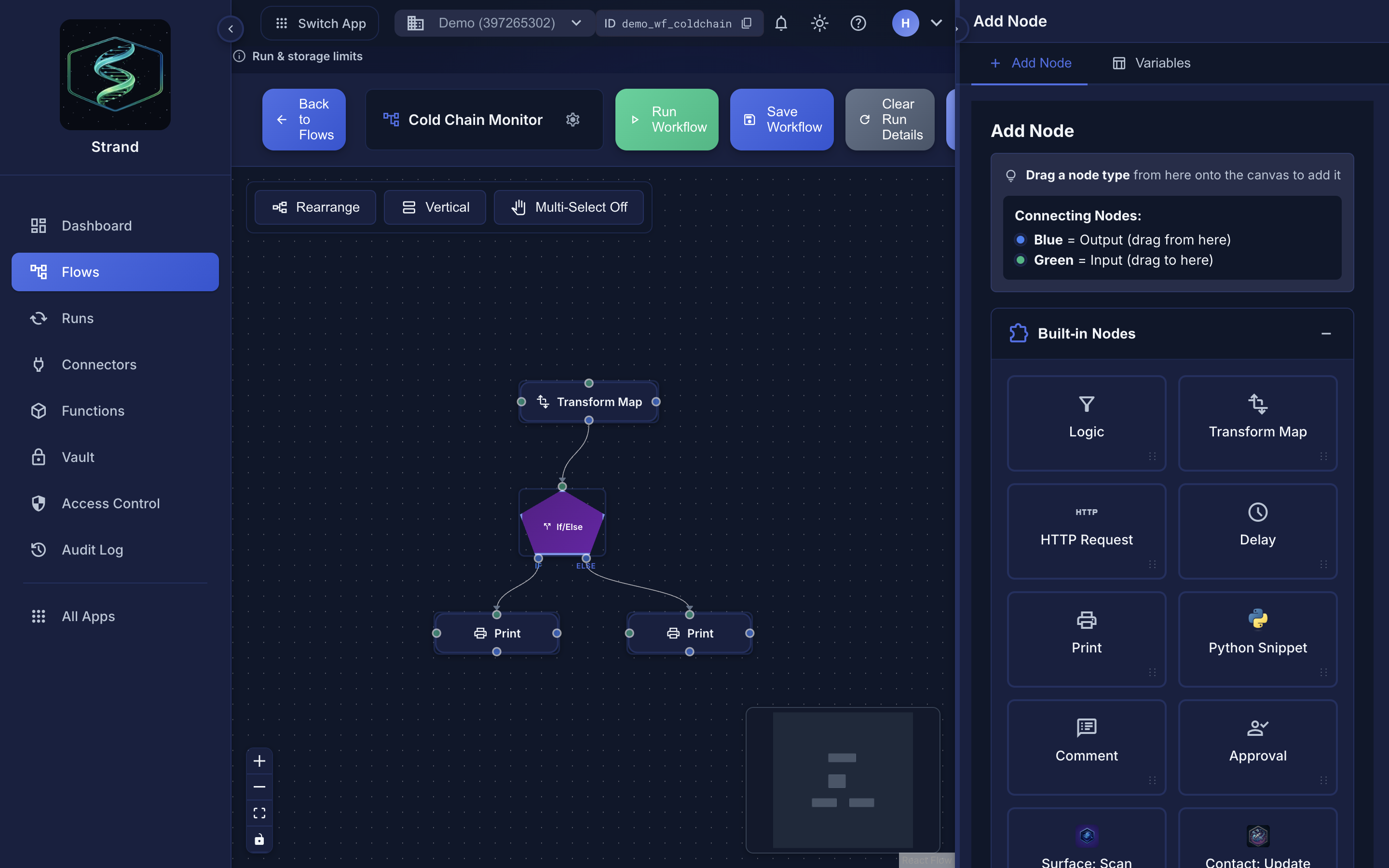 Nodes use blue output handles and green input handles. Drag from blue to green to connect.
Editing Connections#
- Click on an edge (connection line) to select it
- The Edge Inspector opens, showing the source and target nodes
- Edges carry no settings; the only action is to delete the connection
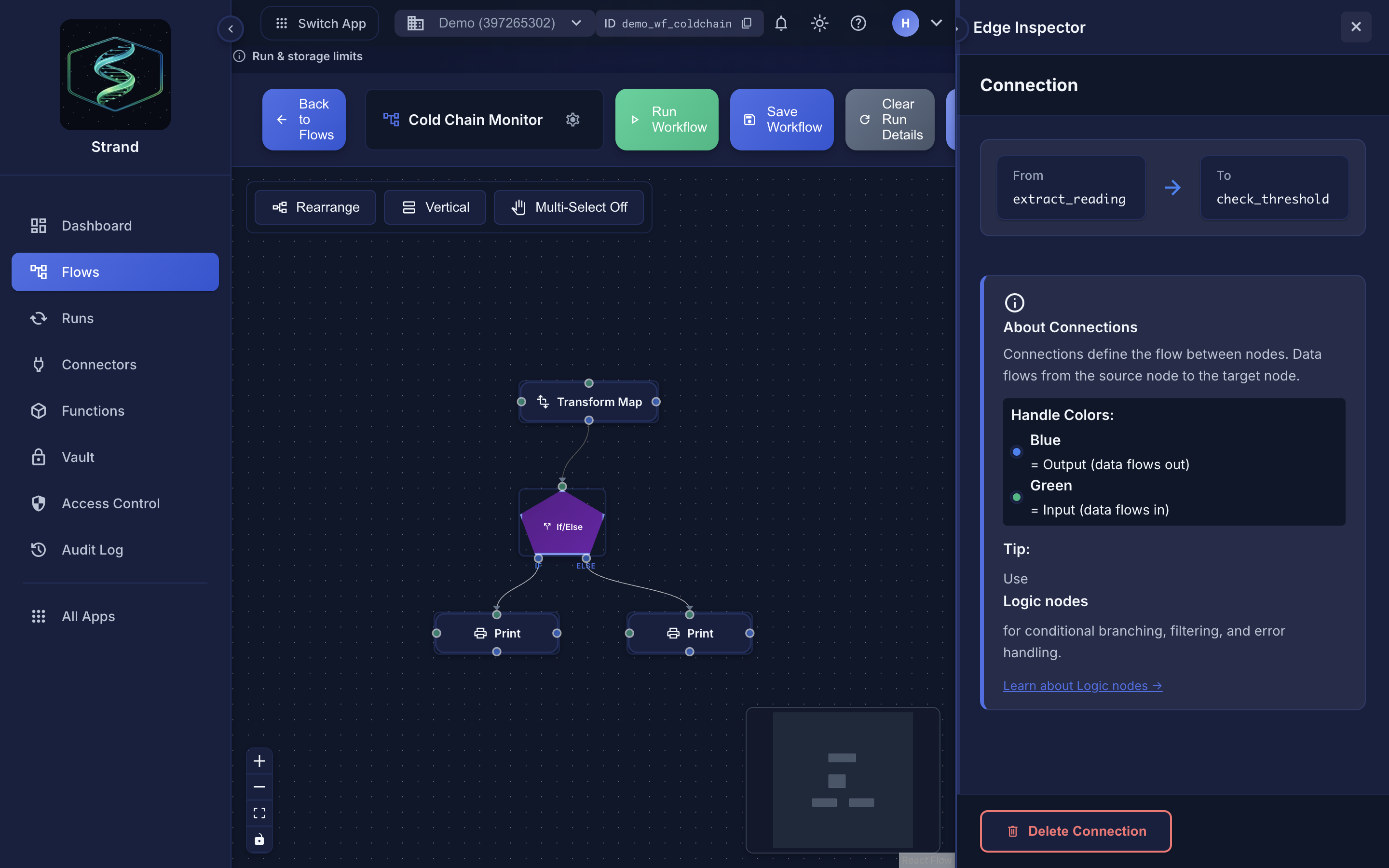 Selecting an edge names its From and To nodes, and repeats the handle-color convention.
Deleting Connections#
- Click on the edge to select it
- Click "Delete Connection" in the Edge Inspector
- Or press
Deletekey when edge is selected
Tips#
- Use descriptive node labels to make connections clear
- Keep workflows readable - avoid too many crossing lines
- Use the Rearrange button to auto-arrange nodes
- Test connections by running the workflow
- Check execution logs to verify connection flow
Common Patterns#
Sequential Flow#
[Start] -> [Process] -> [Transform] -> [End]
Parallel Processing#
        ┌-> [Process A]
[Start] |-> [Process B]
        └-> [Process C]
Conditional Branching#
A Logic node (If/Else mode) routes through its if and else handles:
[Logic] --if--> [Path A]
    └--else--> [Path B]
