 Tendrl
Runs
Every time a workflow executes, Strand records a run: which nodes fired, in what order, what each one received and returned, and where execution stopped. Runs are how you debug a workflow after the fact.
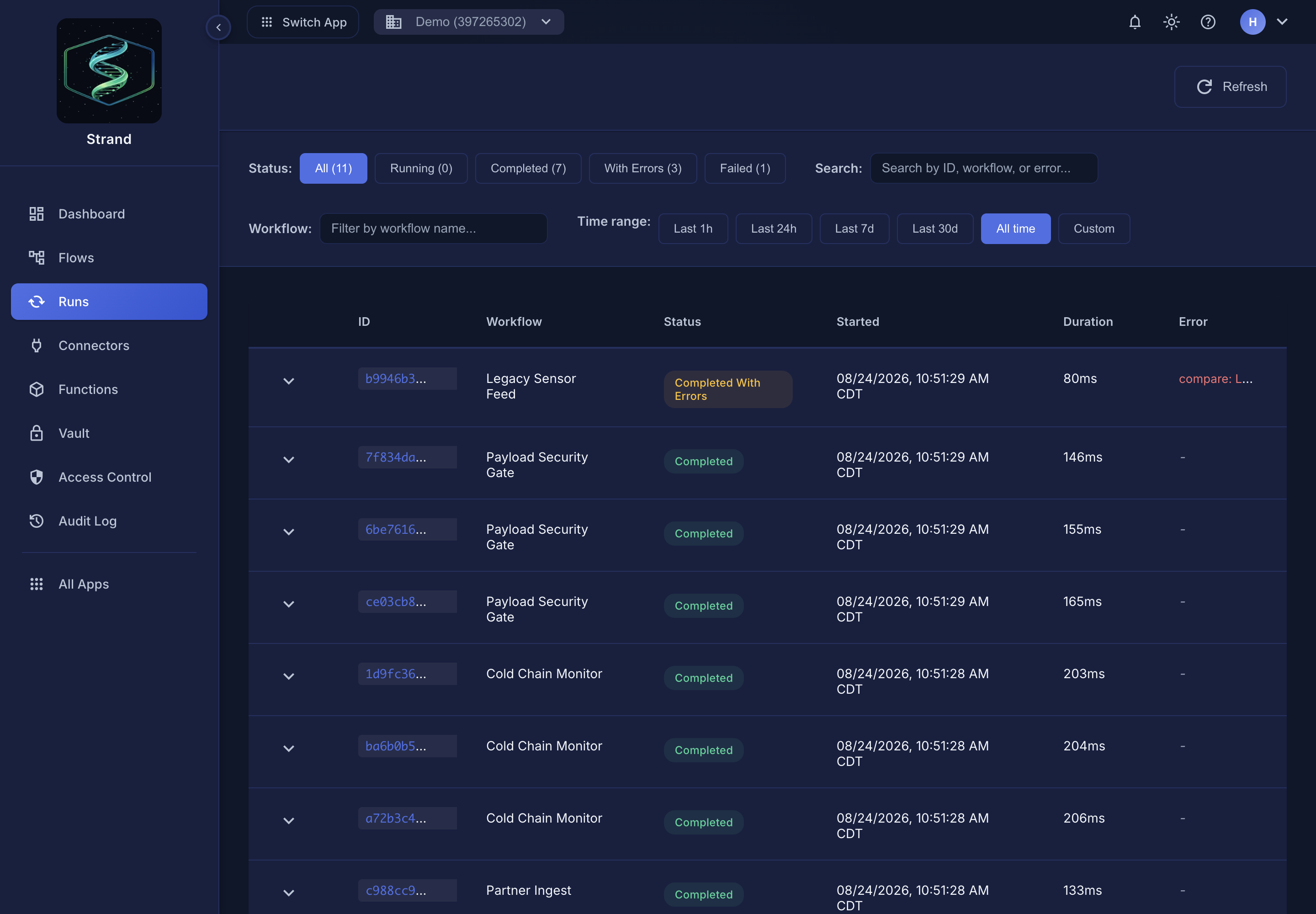 The Runs list. Filter to failures first when you are debugging.
Reading a run#
Open Runs and select an execution. A run shows:
- Status — whether the workflow completed, failed, or is still executing.
- Per-step detail — each node that ran, with its input and output. This is usually where a problem becomes obvious: a step receives a payload shaped differently than its templating expects.
- Logs — output from Print nodes and Python snippets, useful for narrating what a workflow decided and why.
- Timing — how long each step took, which is where you look first when a workflow is slower than expected. See Performance.
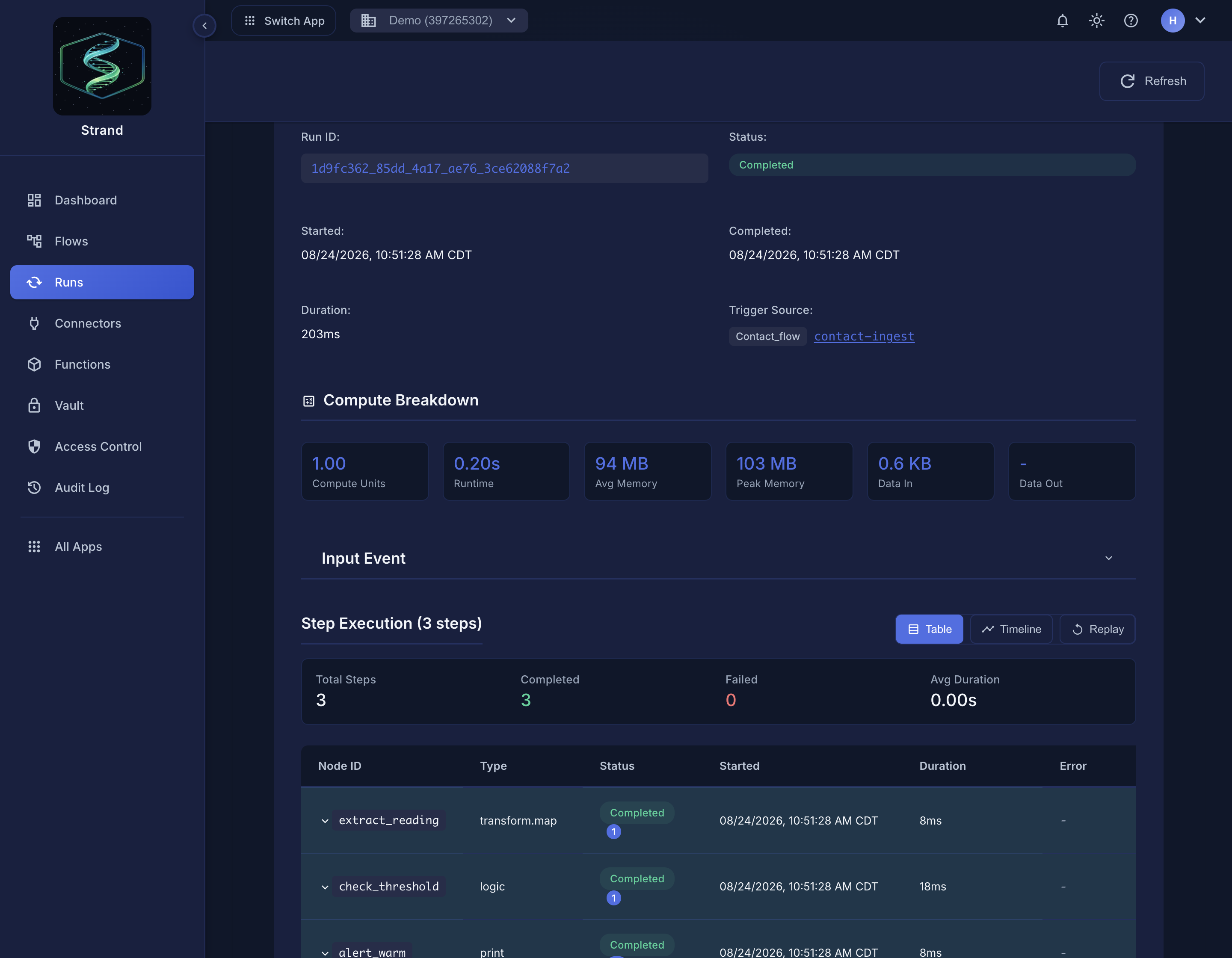 A run detail: trigger source, compute breakdown, and every step with its status and duration.
Switch Step Execution to Replay to step through the run on the canvas — completed nodes fill in, the active node highlights, and the branch that actually ran is drawn in.
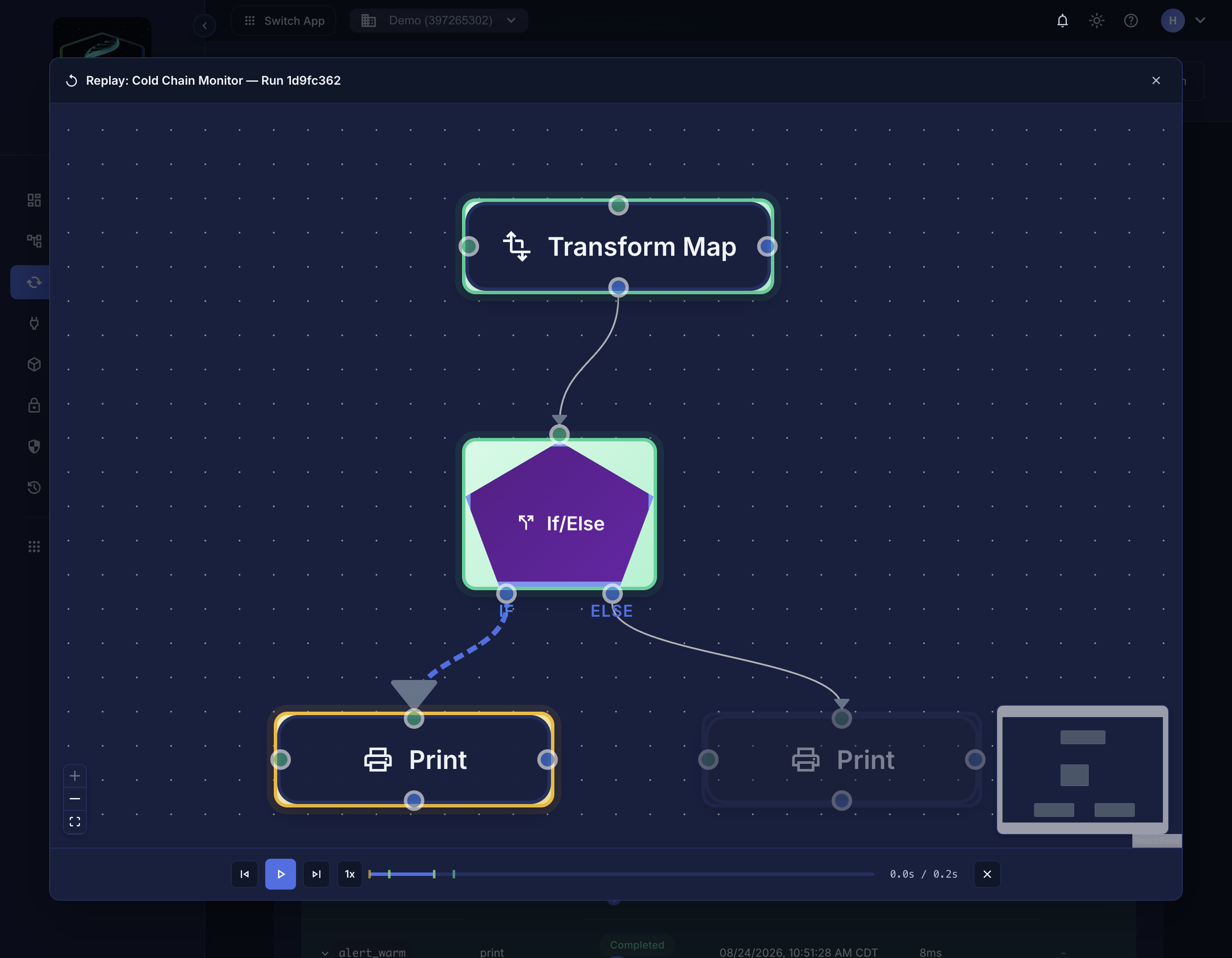 Replay scrubs through the run, showing which branch was taken.
Common failure shapes#
| What you see | Usually means |
|---|---|
| Fails at the first node | The trigger payload isn't the shape the workflow expects |
| Fails at a connector node | Credentials or connectivity — check the connector itself |
| Stops partway with no error | A conditional routed execution down a branch that ends |
| Times out | A slow external call, or a limit — see Limits |
For retries, fallbacks, and explicit error branches, see Error handling.
Retention#
Run history is retained per plan. See Data retention for the window that applies to your account, and export anything you need to keep longer.
Related#
- Trigger a test run
- Approval links — runs paused awaiting a human decision
- Concurrency — how simultaneous runs are scheduled
