 Tendrl
Contact Integration
Contact entities can automatically trigger Strand workflows through tag-based matching. When a Contact flow executes a "Trigger Strand Workflow" action, Strand finds all eligible workflows whose tags overlap with the event and queues a run for each match.
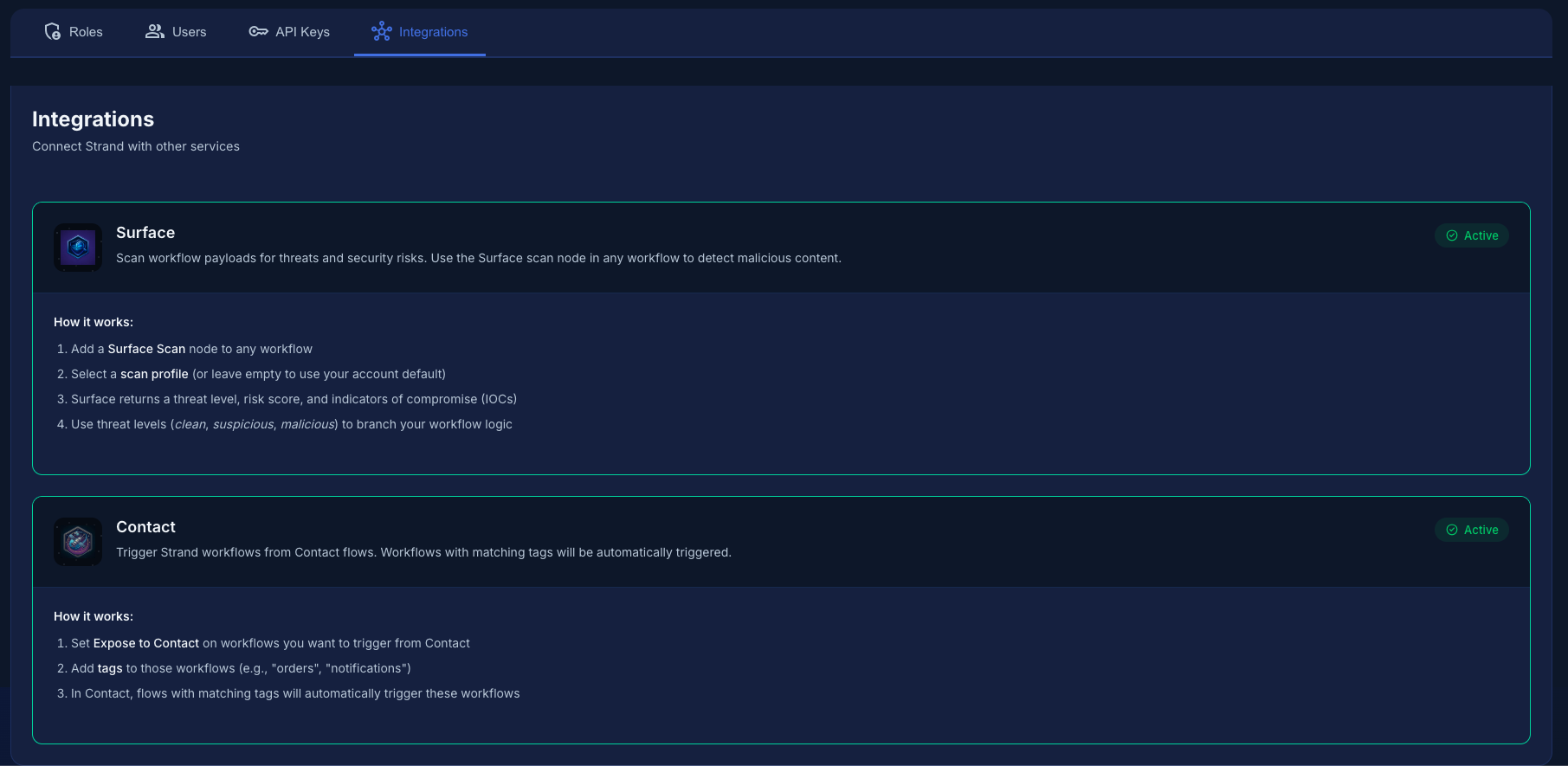 Contact integration in Strand. A workflow only becomes eligible once it is exposed to Contact.
How Tag Matching Works#
When Contact sends a trigger event, it includes a list of tags (for example ["alert", "temperature"]). Strand then:
- Finds all active workflows in the account that have been exposed to Contact.
- Normalizes both the event tags and each workflow's tags to lowercase.
- Checks whether all of the event's tags exist in the workflow's tag list. A workflow matches if every tag from the event is present in the workflow's tags.
This means a workflow with tags ["alert", "temperature", "critical"] will match an event with tags ["alert", "temperature"], because the workflow contains both event tags. However, a workflow with only ["alert"] would not match, because it is missing temperature.
Keep event tags broad and workflow tags specific. A workflow tagged ["alert", "temperature", "warehouse-3"] can be triggered by a Contact event with just ["alert", "temperature"], letting you layer specificity on the Strand side without tightly coupling the Contact flow.
Exposing a Workflow to Contact#
A workflow must opt in before Contact can trigger it. Two settings control this:
| Setting | Description |
|---|---|
| Expose to Contact | When enabled, the workflow appears in Contact's list of available targets. Off by default. |
| Tags | One or more tags used for matching. A workflow with no tags will never match any event, even if exposed. |
You can configure these in two ways:
From the workflow editor -- Open a workflow, open the More actions (⋮) menu in the editor toolbar, choose Workflow settings, toggle "Expose to Contact", and add tags.
Via a cross-platform template -- Templates that span Contact and Strand enable Contact exposure and set tags automatically during provisioning. No manual configuration is required.
Restricting which entities can trigger#
The same Settings panel exposes an allowed sources list. When populated, only events from those entities will trigger the workflow, matched by exact name or wildcard pattern (e.g. sensor-*). Events from any other entity are blocked even if their tags match; blocked workflows are reported in the trigger response's blocked list. Leave the list empty to allow all entities.
Matching happens when the message arrives. A device message sent before the workflow is exposed (or while its tags don't cover the message's tags) creates no run and is not retried later, so expose and test the workflow before pointing live device traffic at it.
Trigger Payload Format#
There are two related shapes to be aware of:
- The Contact → Strand event (the wire format Contact sends) uses camelCase field names (
accountId,flowId,entityId,triggerDepth, ...). These are documented in the ContactEvent Fields table below. - The stored
input_event(what you see and template against inside a run) is the payload Strand builds from that event. It nests the fields underpayloadand uses snake_case fortrigger_depth. This is the shape shown in the example below and the one your Jinja expressions reference.
When Contact triggers a Strand workflow, the run's stored input_event is structured as follows:
{
  "payload": {
    "source": "contact",
    "contactFlow": {
      "flowId": "abc123",
      "flowName": "Temperature Alert Flow",
      "executionId": "exec_456"
    },
    "entity": {
      "id": "503027421:us-1:entity:warehouse-sensor-1",
      "name": "warehouse-sensor-1"
    },
    "messageId": "msg_012",
    "tags": ["alert", "temperature"],
    "data": {
      "temperature": 98.6,
      "unit": "fahrenheit"
    },
    "timestamp": "2026-03-27T14:30:00Z",
    "trigger_depth": 0
  },
  "meta": {
    "account_id": "503027421",
    "workflow_name": "Temperature Alert Handler",
    "workflow_id": "6208953a_f5b1_46ae_8bfc_837054cece0f",
    "trigger_source": "contact_flow",
    "triggered_at": "2026-03-27T14:30:01Z"
  }
}
ContactEvent Fields#
These are the fields on the wire event Contact sends to Strand (camelCase). Strand remaps them into the nested, snake-cased input_event shown above; for example, the wire triggerDepth is stored as payload.trigger_depth, and entityId/entityName are nested under payload.entity.
| Field | Type | Required | Description |
|---|---|---|---|
accountId |
string | Yes | Account that owns the Contact flow. |
flowId |
string | Yes | ID of the Contact flow that fired the trigger. |
flowName |
string | Yes | Human-readable name of the Contact flow. |
executionId |
string | Yes | Unique ID for this specific Contact flow execution. |
tags |
string[] | Yes | Tags used for workflow matching. |
entityId |
string | No | ID of the Contact entity involved. |
entityName |
string | No | Name of the Contact entity involved. |
messageId |
string | No | ID of the message that started the Contact flow, if applicable. |
data |
object | No | Arbitrary data payload from the Contact flow. |
timestamp |
string | Yes | ISO 8601 timestamp of the event. |
triggerDepth |
integer | No | Current depth in a trigger chain (default 0). Used for loop prevention. |
Accessing Fields in Jinja Templates#
Inside any Strand workflow node, use Jinja expressions to reference the trigger payload:
{# Message data from the device/entity #}
{{ initial.payload.data }}                    {# full data object #}
{{ initial.payload.data.temperature }}        {# 98.6 #}
{{ initial.payload.data.unit }}               {# "fahrenheit" #}

{# Entity and flow info #}
{{ initial.payload.entity.name }}             {# "warehouse-sensor-1" #}
{{ initial.payload.tags }}                    {# ["alert", "temperature"] #}
{{ initial.payload.source }}                  {# "contact" #}

{# Workflow metadata #}
{{ initial.meta.workflow_name }}              {# "Temperature Alert Handler" #}
{{ initial.meta.trigger_source }}             {# "contact_flow" #}
{{ initial.meta.triggered_at }}               {# "2026-03-27T14:30:01Z" #}
Use the Node Inspector panel in the workflow editor to see all available data references and copy them directly into your node configuration.
Loop Prevention#
Because Contact flows can trigger Strand workflows, and Strand workflows can send messages back to Contact (via the Contact Entity Message connector), there is a risk of infinite loops. Three safeguards prevent this:
Trigger Depth#
Every trigger event carries a triggerDepth counter. Each time a Strand workflow triggers a Contact flow (or vice versa), the depth increments by one. Strand rejects any event where the depth exceeds 3.
If you see a response with the message "Trigger depth exceeds maximum", it means your workflow chain has bounced between Contact and Strand more than three times. Break the cycle by removing the round-trip trigger or adding a conditional check.
Per-Workflow Rate Limiting#
Strand limits how many times each workflow can be triggered by Contact events within a rolling time window. The limits are:
| Limit | Value |
|---|---|
| Max triggers per workflow per window | 10 |
| Sliding window duration | 60 seconds |
When a workflow exceeds 10 Contact-triggered runs within 60 seconds, further triggers for that specific workflow are silently skipped. Other matching workflows in the same event continue to fire normally.
Per-Event Workflow Cap#
A single Contact event can trigger at most 50 workflows. If more than 50 workflows match the event's tags, only the first 50 are triggered and a warning is logged.
HMAC Signature Verification#
Contact signs every trigger request so Strand can verify authenticity. The flow works as follows:
- Contact computes an HMAC-SHA256 digest of the raw request body using a secret shared between the two services.
- The signature is sent in the
X-Strand-Signatureheader, prefixed withsha256=. - Strand recomputes the HMAC over the received body and compares it to the header value using a constant-time comparison.
Both services share a secret for HMAC signature computation. The signature header is verified using a constant-time comparison to prevent timing attacks.
Usage and Billing for Contact Triggers#
Device-triggered runs are never billed against your run quota. Runs started by a Contact event are counted and shown separately in your usage as contact runs; your monthly run limit only meters the runs you start yourself (manual, scheduled, API). A busy fleet can't consume your plan.
Two protections still apply to Contact triggers: compute-unit limits (real execution cost; if your account exhausts its CUs, triggers are rejected until usage resets or you upgrade) and the per-workflow trigger rate limit. See Plans & Limits.
There is no per-account on/off toggle for the integration; it is active whenever the platform has Strand configured. Exposure is controlled entirely per workflow: a workflow with Expose to Contact off is never triggered.
Where it appears on the Contact side#
Your exposed Strand workflows show up in the Contact flow editor's live tag-matching preview. If no workflows appear there, confirm they are exposed to Contact with tags that cover the message's tags; this is the first thing to check when triggers are not firing.
Discovering Exposed Workflows#
When you configure a "Trigger Strand Workflow" action in the Contact flow editor, Contact automatically discovers which Strand workflows are exposed and available for triggering. As you enter tags, the editor shows a live preview of the workflows that would fire for that tag set, using the same all-tags matching logic described above.
Use the live preview in the Contact flow editor to verify your tag configuration before saving. If no workflows appear, check that the target workflow is exposed to Contact and that its tags are a superset of the tags you entered.
