 Tendrl
Connectors
A connector is a saved, reusable configuration for an external service — its endpoint and its credentials. Workflows reference connectors by name, so secrets live in one place instead of being copied into every node that needs them.
Create connectors under Connectors, then use them from a connector node in any workflow. Credentials belong in the Vault, not in node configuration.
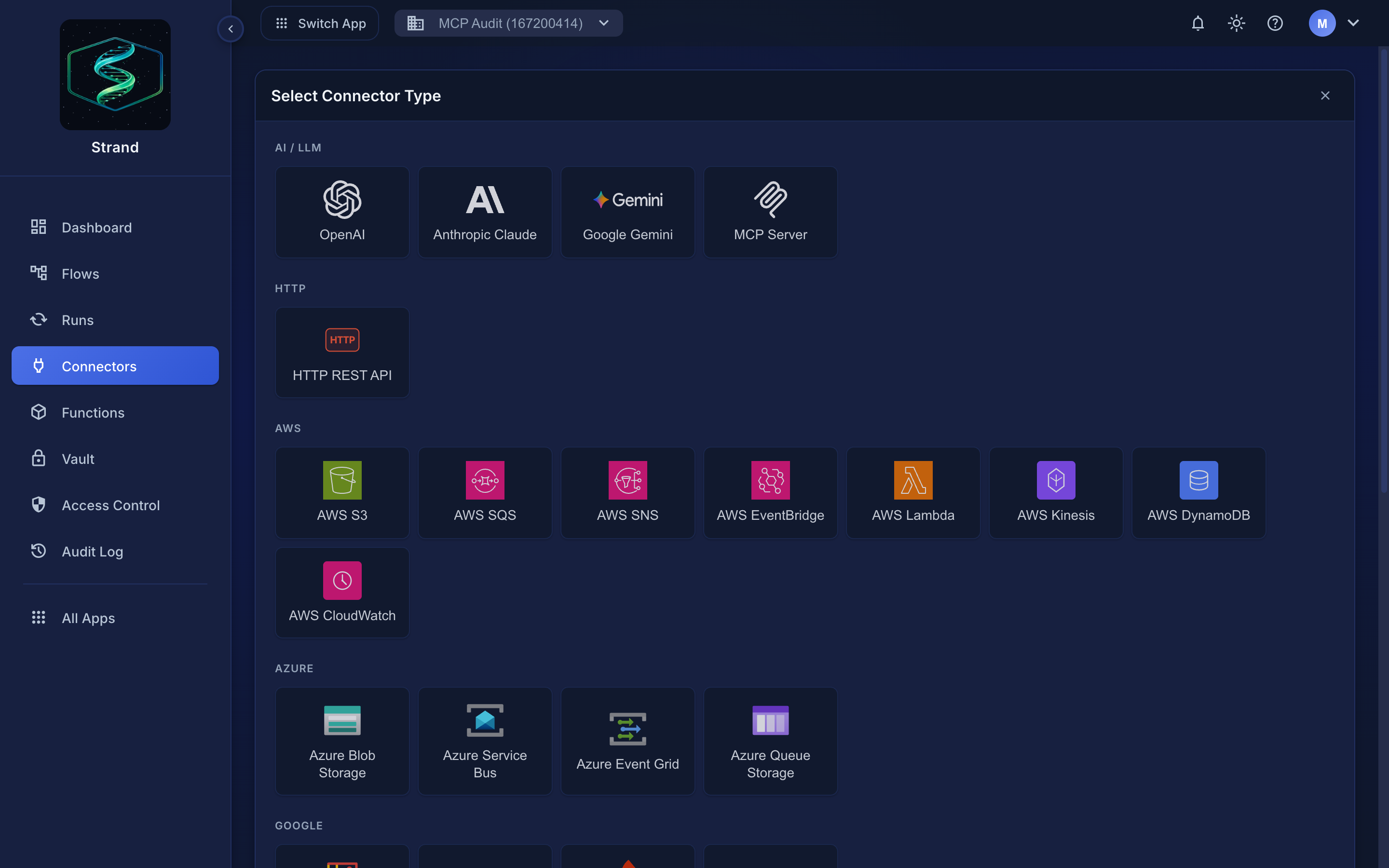 Connectors → Add Connector opens the type gallery.
Every connector is configured the same way: a Name and Description, then a type-specific Configuration section. Services that support OAuth offer a one-click authorize button alongside the manual fields. The Actions & permissions and Response schema tabs show what the connector can do and the shape of what it returns, which is what a connector node will hand to the next step.
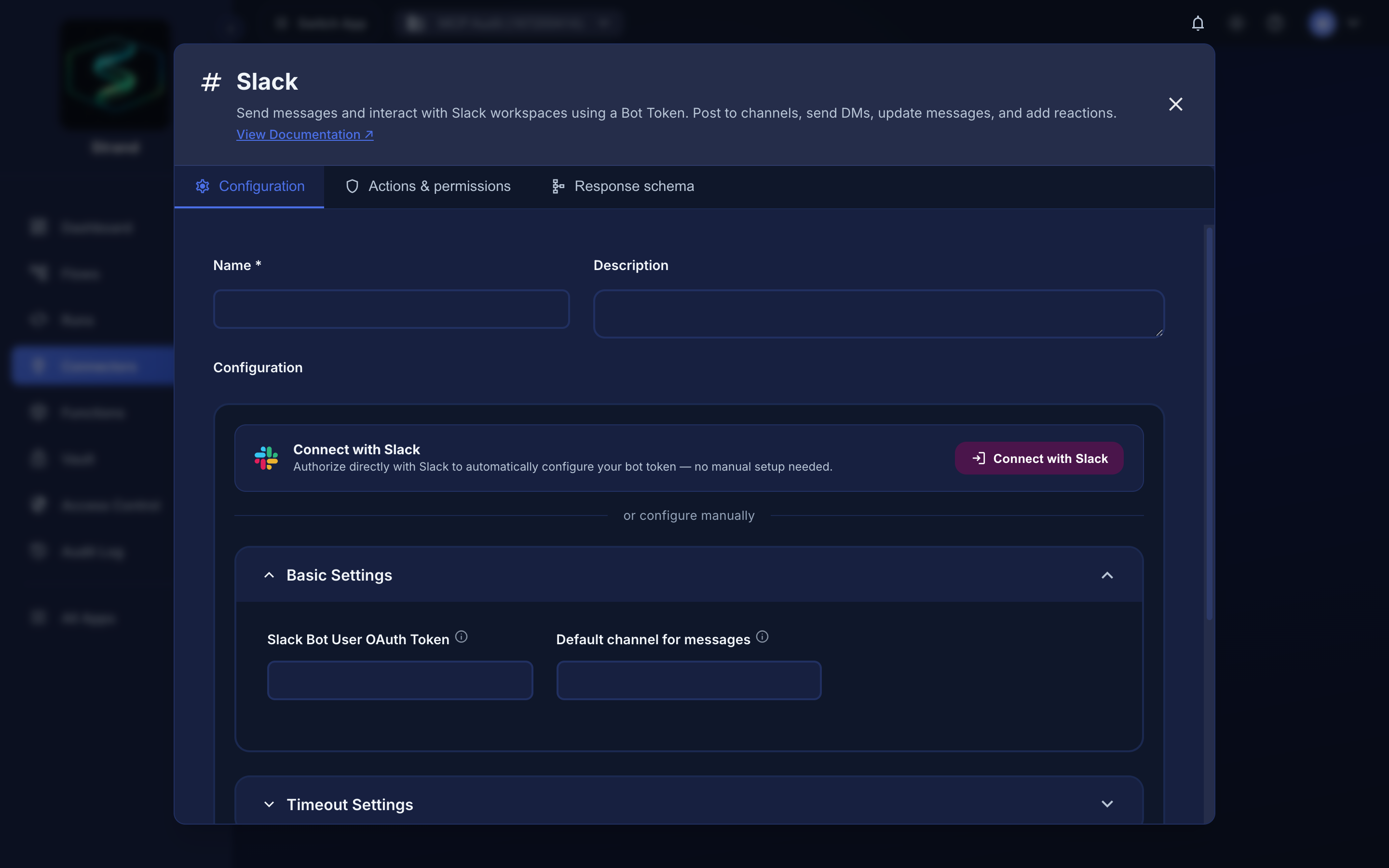 Configuring a connector — Slack shown here, but the layout is the same for all types.
The service must be reachable from the internet#
Strand runs in the cloud and can only connect to services that are publicly reachable. Private addresses — 10.x, 172.16–31.x, 192.168.x, 127.x, and .local mDNS names — will not work. This matters for any connector aimed at something you host yourself: a broker on your network, an internal Redis, an HTTP endpoint behind your firewall, and especially Home Assistant, which usually lives on a home network.
Give those a publicly reachable address — a reverse proxy or tunnel (Cloudflare Tunnel, Tailscale Funnel), a public hostname with HTTPS, or a vendor-provided remote URL such as Home Assistant Cloud. A connector pointed at a private address will report Access to '…' is blocked.
The address is checked from Strand's side, so testing the URL in your own browser proves nothing — confirm it loads from outside your network.
Messaging and notifications#
AI providers#
| Connector | |
|---|---|
| AI Provider: OpenAI, Anthropic Claude, Google Gemini, OpenAI-compatible | MCP Server |
See AI Agent nodes for how prompts and responses flow through a workflow.
AWS#
| Connector | |
|---|---|
| S3 | Lambda |
| SQS | SNS |
| EventBridge | Kinesis |
| DynamoDB | CloudWatch |
Azure#
| Connector | |
|---|---|
| Blob Storage | Queue |
| Service Bus | Event Grid |
Google Cloud#
| Connector | |
|---|---|
| Cloud Storage | Pub/Sub |
| Firestore | Firebase |
| Google Sheets |
Data and transport#
Tendrl platform#
| Connector | |
|---|---|
| Contact message | Surface |
| Home Assistant |
To have Contact route device and entity messages into Strand automatically, see Contact integration.
Related#
- Connector nodes — using a connector inside a workflow
- Connector outputs — reading what a connector returns
- Error handling — retries when a service is unavailable
