 Tendrl
Global Vault
The Global Vault provides secure, encrypted storage for sensitive values that can be accessed across all workflows in your account.
Overview#
Unlike Variables (which stores plain text values per workflow), the Global Vault:
- ✅ Encrypts all values at rest using Fernet encryption
- ✅ Shared across all workflows in your account
- ✅ Accessible via templates using
{{ vault.key }} - ✅ Managed centrally through the Vault UI
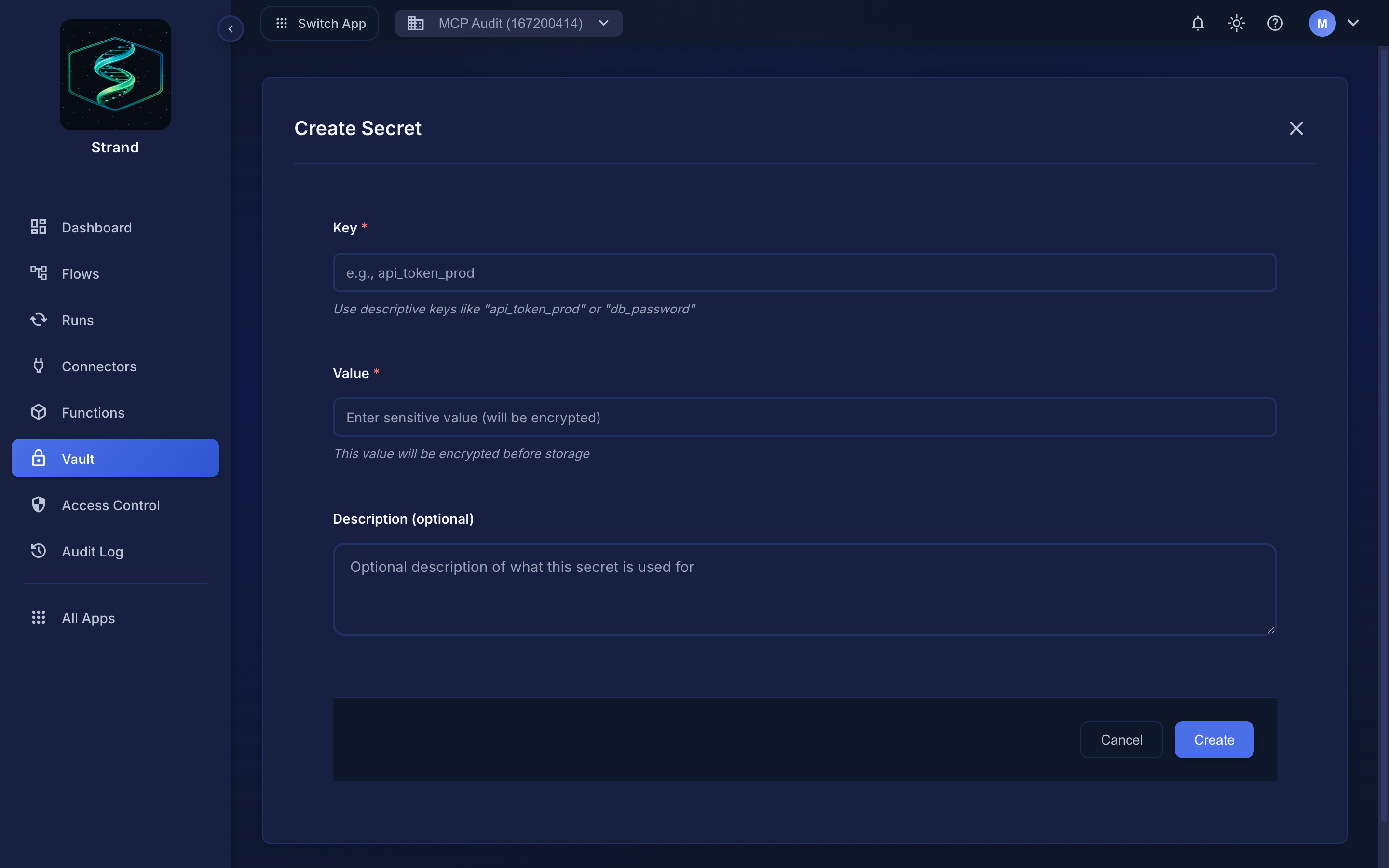 Vault → Create — the value is encrypted before storage and never shown again.
Prefer identifier-safe keys like api_token_prod. Dot access ({{ vault.api_token_prod }}) only works for keys made of letters, digits, and underscores; anything else has to use bracket access ({{ vault['api-token-prod'] }}).
When to Use Vault vs Variables#
| Feature | Variables | Global Vault |
|---|---|---|
| Storage | Per workflow | Account-wide |
| Encryption | ❌ Plain text | ✅ Encrypted |
| Use Case | Non-sensitive config | Sensitive secrets |
| Examples | API URLs, timeouts | API tokens, passwords |
Accessing Vault Values#
Use the vault variable in Jinja templates:
{{ vault.api_token }}
{{ vault.database_password }}
{{ vault.aws_secret_key }}
Where Can You Access Vault Values?#
Vault secrets are accessible across all workflow node types:
| Context | Vault Access | How |
|---|---|---|
| Connector configs (HTTP, MQTT, cloud, AI, etc.) | ✅ Yes | {{ vault.key }} in config fields |
| Node configs (HTTP body, headers, etc.) | ✅ Yes | {{ vault.key }} in any template field |
| Transform Nodes | ✅ Yes | {{ vault.key }} in mapping values |
| Logic Conditions | ✅ Yes | {{ vault.key }} in conditions |
| HTTP Request Nodes | ✅ Yes | {{ vault.key }} in URL, headers, body |
| Print Statements | ✅ Yes | {{ vault.key }} (shows as placeholder in output) |
| Python Snippets | ✅ Yes | vault['key'] or vault.get('key') in code |
| Function Calls | ✅ Yes | vault['key'] or vault.get('key') in code |
Vault secrets are resolved at execution time but never stored or displayed as plain text. In all run logs, step outputs, and print output, vault values are automatically replaced with their {{ vault.key_name }} placeholder. This means you can safely use vault secrets anywhere in your workflows without risk of exposure.
Use Cases#
API Tokens#
Store API authentication tokens securely:
"Authorization": "Bearer {{ vault.api_token }}"
Database Credentials#
Store database passwords and connection strings:
"password": "{{ vault.db_password }}"
Service Account Keys#
Store service account credentials:
"credentials": "{{ vault.gcp_service_account_key }}"
Managing Secrets#
Secrets are managed through the Vault UI in the application:
- Navigate to the Vault section
- Create new secrets with a key and value
- Values are automatically encrypted before storage
- Update or delete secrets as needed
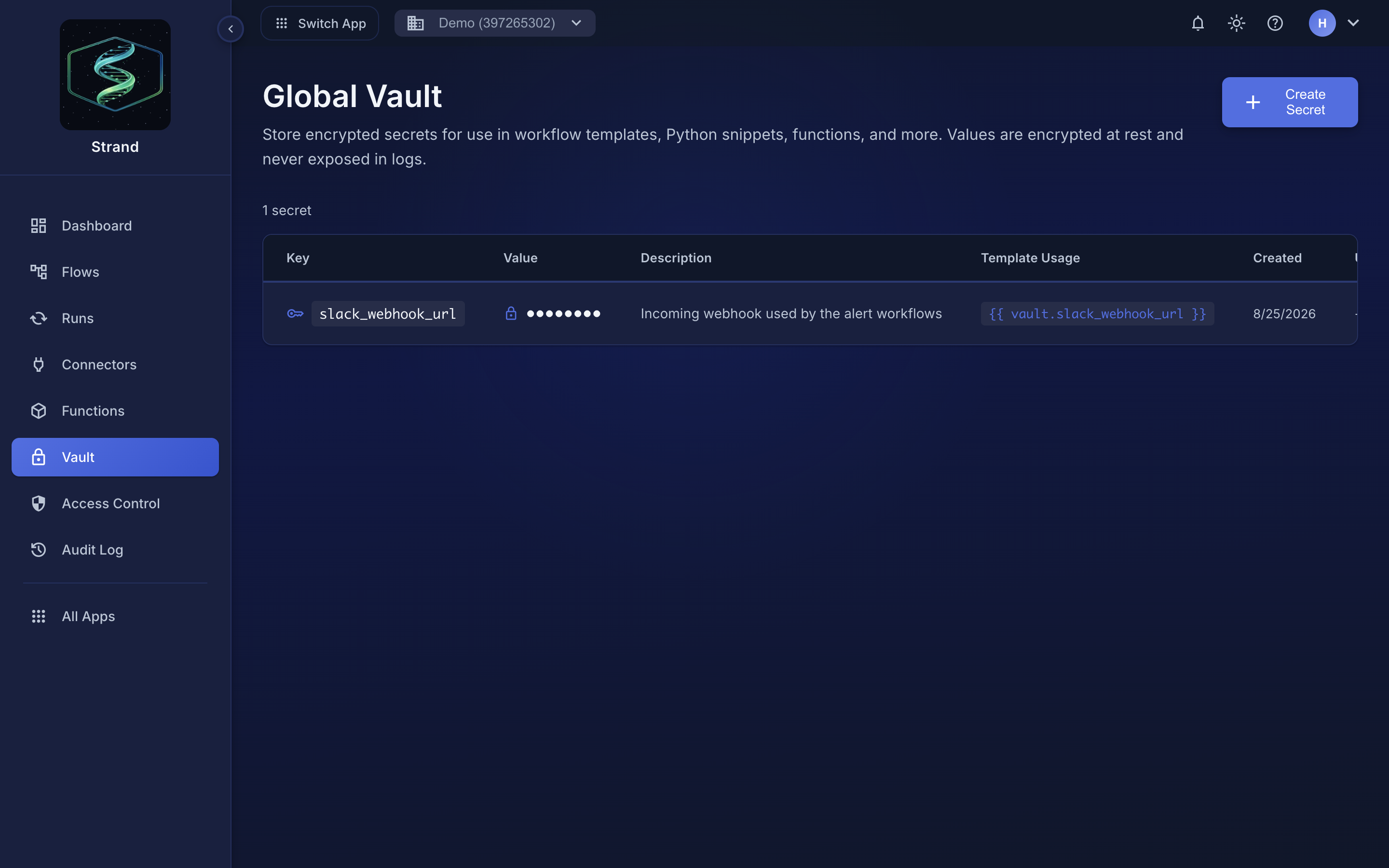 The list never shows the value. The Template Usage column gives you the exact expression to paste into a node.
Key naming
Keys are not validated for character content, but dot access ({{ vault.my_key }}) only works for identifier-safe keys: letters, digits, and underscores, not starting with a digit. Prefer keys like api_token_prod.
If a key contains a hyphen, space, or starts with a digit, dot access breaks. Use bracket access instead:
{{ vault['api-token-prod'] }}
{{ vault['2024 key'] }}
Keys can be up to 200 characters; values up to 10,000 characters.
Security#
- All values are encrypted using Fernet symmetric encryption
- Encryption keys are managed securely at the platform level
- Values are decrypted only at runtime during workflow execution
- Never logged or exposed in API responses (values are masked)
Automatic Placeholder Replacement#
Vault values are automatically replaced with their {{ vault.key }} placeholder in:
- ✅ Workflow run logs
- ✅ Step output storage
- ✅ Print statement output
- ✅ Error messages
- ✅ API responses (masked)
Vault secrets are never stored or displayed as plain text; they always appear as {{ vault.key_name }}.
Best Practices#
- ✅ Use identifier-safe keys - letters, digits, and underscores only (e.g.
api_token_prod, notapi-tokenortoken 1), so dot access works in templates - ✅ Store only sensitive data - Use Variables for non-sensitive config
- ✅ Rotate keys regularly - Update secrets when credentials change
- ✅ Use environment-specific keys -
api_token_prodvsapi_token_dev - ❌ Never commit vault values - They're encrypted but still sensitive
Example#
# HTTP Request node configuration
{
  "url": "{{ variables.api_base_url }}/users",
  "headers": {
    "Authorization": "Bearer {{ vault.api_token }}"
  }
}
In this example:
variables.api_base_url- Non-sensitive, stored in Variablesvault.api_token- Sensitive, stored encrypted in Vaultvault.api_key- Sensitive, stored encrypted in Vault
