 Tendrl
Strand Integration
Strand workflows can scan payloads for threats as a native workflow step. There are two zero-config ways to do it:
- Built-in Surface node (
Surface: Scan Payload): always available, no connector instance required. Just add it to a workflow. - Saved Surface connector (
surface.platform): an auto-provisioned connector you can create and reuse across workflows.
Both run with no API key entry and use the platform's internal connection automatically.
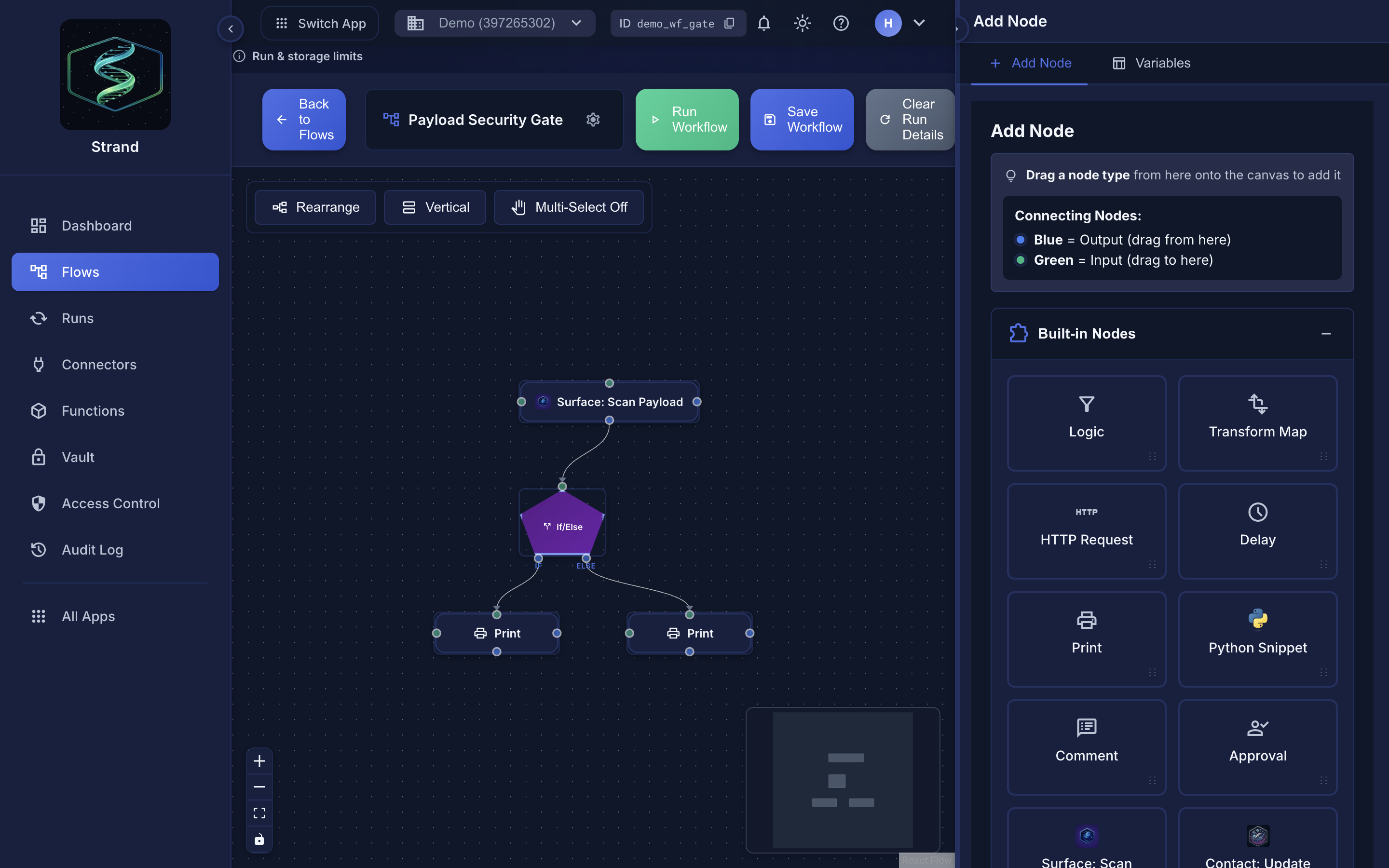 A Surface scan running as a step inside a Strand workflow.
Built-in node (zero setup)#
The Surface: Scan Payload node is built in and always available; you do not need to create a connector first. Add it to any workflow and configure the fields below. This is the fastest path: no setup, no credentials.
Saved connector (optional)#
If you prefer a reusable, named connector, the Surface connector is auto-provisioned for platform users; no API key entry is required. When you add it to a workflow, it uses the platform's internal connection automatically.
- In Strand, add a new connector
- Select Surface
- The connector is ready to use; no API key or configuration needed
Behind the scenes, the connection is authenticated and managed automatically; you do not need to supply or manage any credentials.
Node configuration#
Add a Surface: Scan Payload node (built-in) or a Connector: Surface node (saved connector) to your workflow. Both take the same fields:
| Field | Required | Default | Description |
|---|---|---|---|
content |
Yes | — | Payload to scan. Supports Jinja templates (e.g. {{ payload | tojson }}) |
label |
No | — | Optional label for the scan record |
reject_on |
No | malicious,suspicious |
Threat levels that mark the step output as safe: false. Options: malicious, suspicious, informational, clean. On the built-in node this is a comma-separated string; on the saved connector it is an array (e.g. ["malicious"]). A result that reached no verdict — Rejected or Error — is always safe: false and cannot be allowed through here, and so is Risky (a blocked agent action) |
profile_id |
No | account default | Scan profile to use. Leave empty to use the account's default profile |
timeout |
No | 30 |
Request timeout in seconds (5-120) |
Output#
The node output replaces the workflow payload with the scan result. The fields are available in subsequent nodes via {{ payload }}:
{
  "safe": true,
  "score": 95,
  "threat_level": "Clean",
  "primary_threat": "No threats detected",
  "recommended_action": "Allow",
  "iocs": [],
  "request_id": "550e8400-e29b-41d4-a716-446655440000",
  "service": "surface",
  "operation": "scan_payload"
}
| Field | Description |
|---|---|
safe |
true only when Surface scored the file and threat_level is not in reject_on. A result with no verdict (Rejected, Error) or a Risky one is never safe |
coverage |
full, partial or minimal — how far analysis reached for this format |
coverage_note |
A sentence explaining that coverage level |
score |
0-100 safety score (higher is safer) |
threat_level |
Clean, Informational, Suspicious, Risky or Malicious, or Rejected / Error when nothing was scanned |
primary_threat |
Top matched threat label. For clean scans this is "No threats detected" |
recommended_action |
Allow, Review, or Block |
iocs |
Array of indicators of compromise |
request_id |
Correlation ID for this scan |
service |
Always "surface" |
operation |
Always "scan_payload" |
Accessing the original payload after scan#
Because the Surface node replaces the workflow payload with scan results, subsequent nodes no longer have direct access to the original trigger data via {{ payload }}. To access the original data from a previous node, use the steps context:
{{ steps.<previous_node_id>.output_payload }}
For example, if the trigger node has ID trigger_1 and you need the original message data after the scan node runs:
{{ steps.trigger_1.output_payload.data }}
This pattern applies to any connector node: the output_payload of a previous step is always available via steps.<node_id>.output_payload.
Example workflow#
Trigger: HTTP webhook (node_id: trigger_1)
  |
Node: Scan Payload (surface.platform, node_id: scan_1)
  content: "{{ payload | tojson }}"
  reject_on: ["malicious"]
  |
Condition: {{ payload.safe == true }}
  -> true: forward to downstream HTTP connector
           (use {{ steps.trigger_1.output_payload }} for original data)
  -> false: send alert via Slack connector
Related#
- Contact integration: surface in Contact flows
- Scan profiles: configure engine behavior
