 Tendrl
Scan History
Every scan Surface performs is recorded, whichever way it was submitted — the dashboard, the REST API, the MCP server, or the offline scanner binary. Scan History is where you go back and look at them.
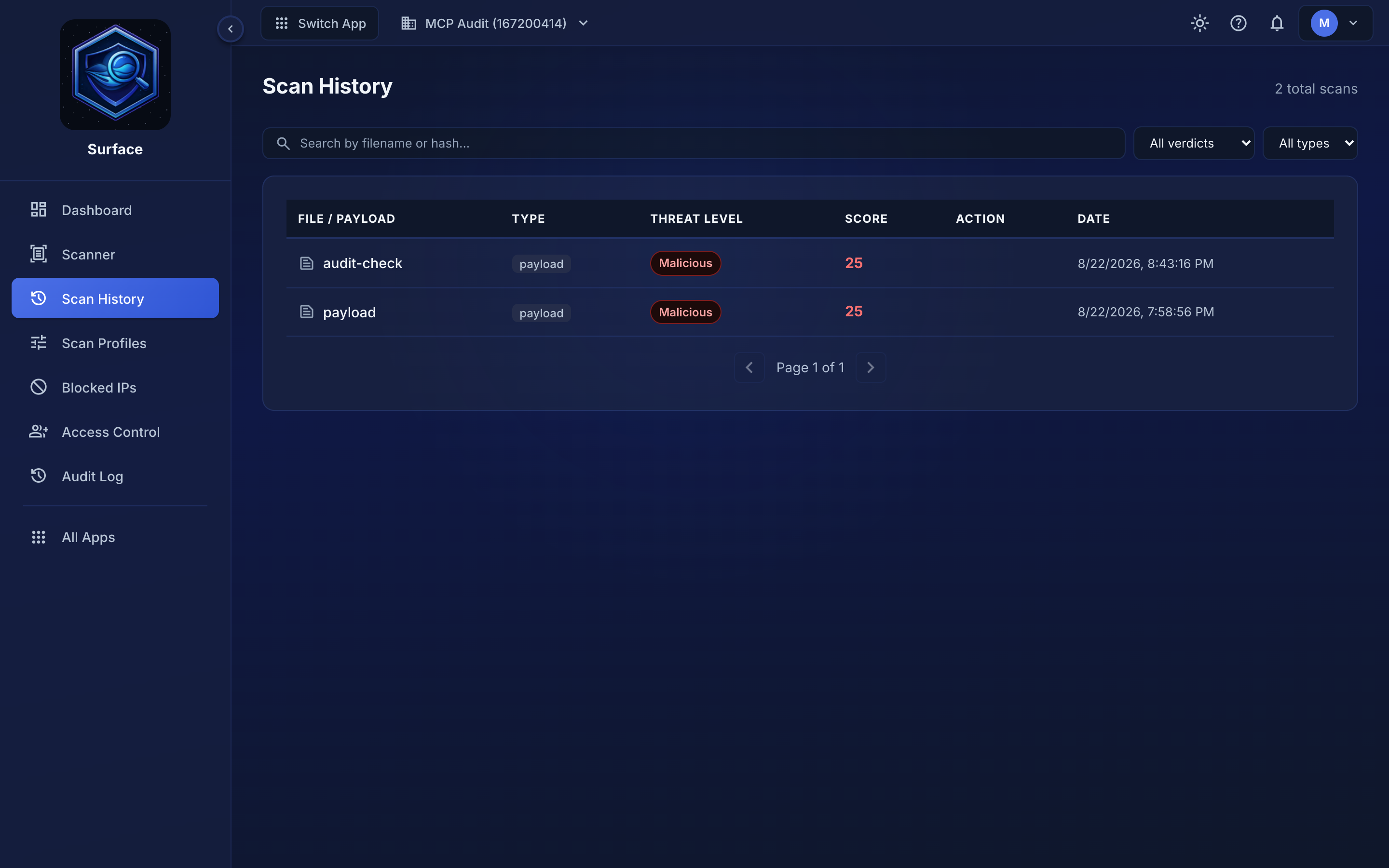 Each row is one scan: what was submitted, the verdict, the safety score, and when it ran.
What each row shows#
| Column | Meaning |
|---|---|
| Name | The filename, or the label you passed when scanning a payload |
| Type | file or payload |
| Threat level | Clean, Informational, Suspicious, Risky or Malicious, or Rejected / Error when nothing was scanned. Risky is a blocked agent action rather than malware; its badge has a dashed border |
| Score | Safety score from 0 to 100 — higher is safer |
| Date | When the scan completed |
Click any row to open the full result: the recommended action, confidence, primary threat, the indicators found, and which engines contributed. See Getting Started for a walkthrough of a result.
Finding a specific scan#
The list is newest-first and paginated. If you are trying to work out why an IP was blocked, find the scan that triggered it here — the block and the scan share a timestamp. See Blocked IPs.
Retention#
Scans are kept for your plan's retention window, after which they are removed automatically. A scan that has aged out cannot be recovered, so export anything you need to keep — see Data Retention.
Related#
- Getting Started — reading a scan result
- Async Scanning — polling for results submitted asynchronously
- API Reference — querying scan history programmatically
