 Tendrl
Async Scanning
By default, Surface scans are synchronous: the scan result comes back in the same HTTP response. This works well for most files, which typically complete in under a second. For large files or high-throughput workflows where you do not want to hold an HTTP connection open, use deferred mode.
Files larger than 25 MB are deferred automatically even if you don't pass the flag; you'll get back a scanId and requestId instead of a full result.
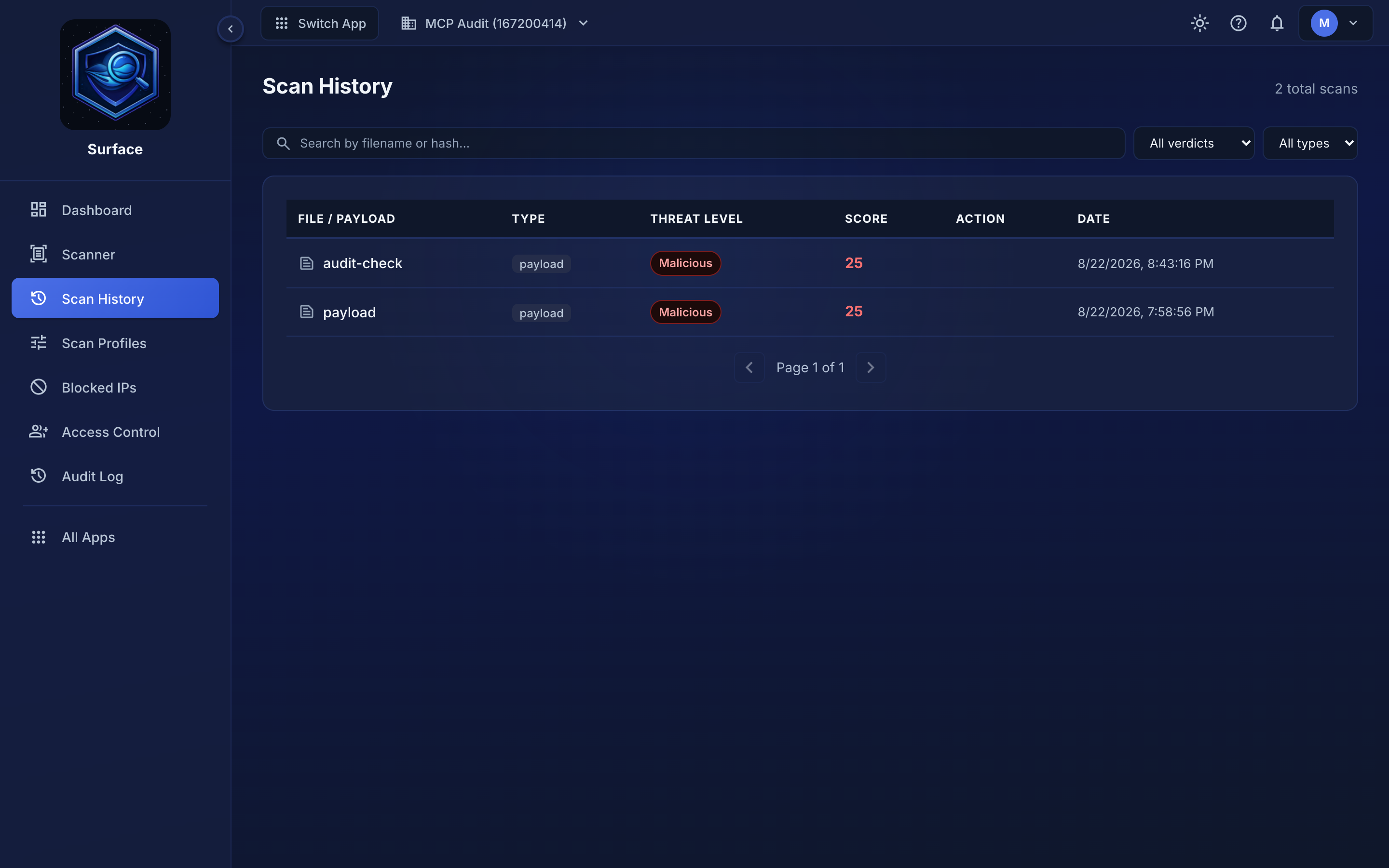 Deferred scans land in Scan History when they finish, so you can find a result you did not wait for.
Deferred mode#
Add ?defer=true to your scan request and Surface returns immediately with a scanId and requestId instead of waiting for the analysis to finish:
Plan requirement: Explicit ?defer=true is available on the Standard and Pro plans. On Free and Starter the flag returns an error; only the automatic deferral of files larger than 25 MB applies (and those tiers' file-size caps mean it rarely triggers).
curl -X POST "https://app.tendrl.com/surface/api/scan?defer=true" \
  -H "Authorization: Bearer YOUR_KEY" \
  -F "file=@large_archive.zip"
The response looks like this:
{
  "scanId": "uuid-of-the-scan",
  "requestId": "uuid-for-correlation",
  "status": "pending"
}
The scan runs in the background. You can retrieve the result either by polling or by configuring a webhook to receive it automatically.
Polling for results#
Use the scanId from the deferred response to check on progress:
curl https://app.tendrl.com/surface/api/scan/YOUR_SCAN_ID \
  -H "Authorization: Bearer YOUR_KEY"
While the scan is still running, the response will have "status": "pending". Once complete, the response carries summary fields at the top level (status, safetyScore, threatLevel, primaryThreat, scanTimeMs, creditsUsed) and the complete sync-style result (including the nested safetyScore object and engine details) under a result key. Note this is not the flat shape of a synchronous scan; read the full details from result. See Understanding Results.
The result endpoint is available under both GET /surface/api/scan/{scanId} (through the platform gateway, matching the submit endpoint) and GET /api/scan/{scanId} (on the API key's direct host). Use whichever matches the host you submitted the scan to.
scanId vs requestId#
These two identifiers serve different purposes:
| ID | Purpose | Where to use it |
|---|---|---|
scanId |
Identifies the scan job | Use with GET /surface/api/scan/{scanId} to poll for results |
requestId |
Correlation ID for your application | Use to match webhook deliveries with your stored files. You can also supply your own by sending the X-Request-ID header on the scan request |
The requestId appears in both the deferred response and the webhook payload, making it the right value for tying everything together in your application.
If you send an X-Request-ID header with your scan request, Surface uses that value as the requestId instead of generating one. This lets you create the correlation ID on your side before submitting the scan, which is useful when you need to store the file in a holding bucket and look it up later.
Combining with webhooks#
Deferred mode and webhooks work well together. The typical pattern is:
- Submit the scan with
?defer=true; you get back ascanIdandrequestIdimmediately - Store the file in a holding location, keyed by
requestId - Receive the webhook when the scan completes; the payload includes the same
requestId - Take action based on the result: move clean files to final storage, quarantine malicious ones
This approach avoids both long-lived HTTP connections and polling loops.
