 Tendrl
In July we wrote a post called "Provision an IoT device from a browser tab, no CLI required." We stand by it. And today we're shipping a CLI.
The two aren't in tension, because they cover different halves of the platform. The browser console and the device SDKs live on the device side: publish a reading, receive a command, survive a bad network. The new tendrl-cli lives on your side: the hundred-and-something API endpoints for managing fleets, reading data, wiring automation, and checking scans that until now belonged to the web dashboard, raw curl, or an MCP-connected AI assistant.
uv tool install git+https://github.com/tendrl-inc-labs/tendrl-cli

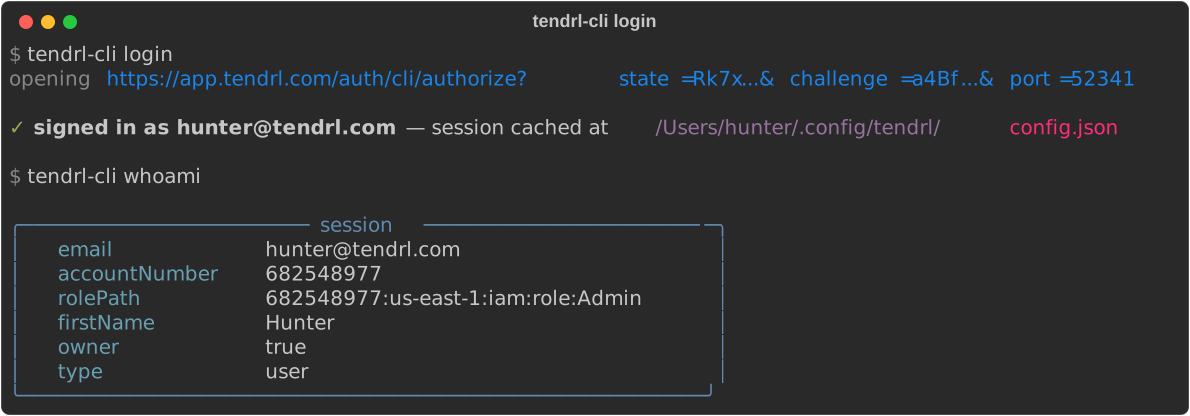
tendrl-cli login
tendrl-cli contact entities list
That login opens your browser to a consent page — approve it there, and the CLI picks up its own 14-day session over a PKCE-protected loopback. No password ever touches the terminal:
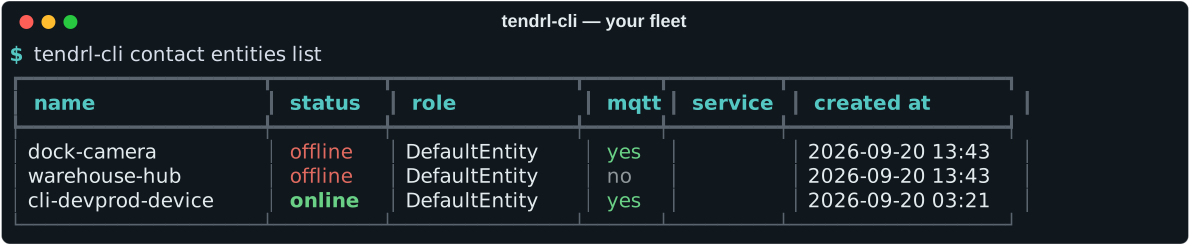
Online is green, offline is red, and every command in the tool takes a global --json flag that prints the raw API response instead. Tables and status chatter go to stderr, JSON goes to stdout, so pipes stay clean either way:

And that contract survived contact with reality: while capturing these screenshots we found that a FORCE_COLOR=1 environment (hello, CI) made the JSON stream unparseable, and fixed it on the spot — piped --json output is plain bytes no matter what the color environment says.
One tool, three products
Commands read as product → resource → verb, and the same tool speaks to all three:
Fleets, messages, files, dashboards, and access control — entities create through audit export.
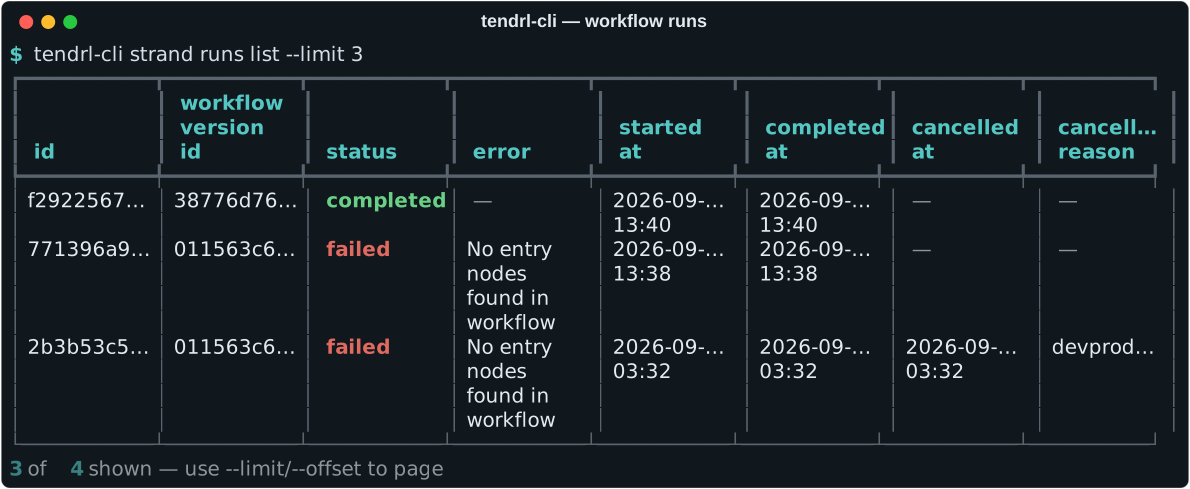
Workflows and runs — kick one off with workflows run, watch statuses turn green, read failures without leaving the list.
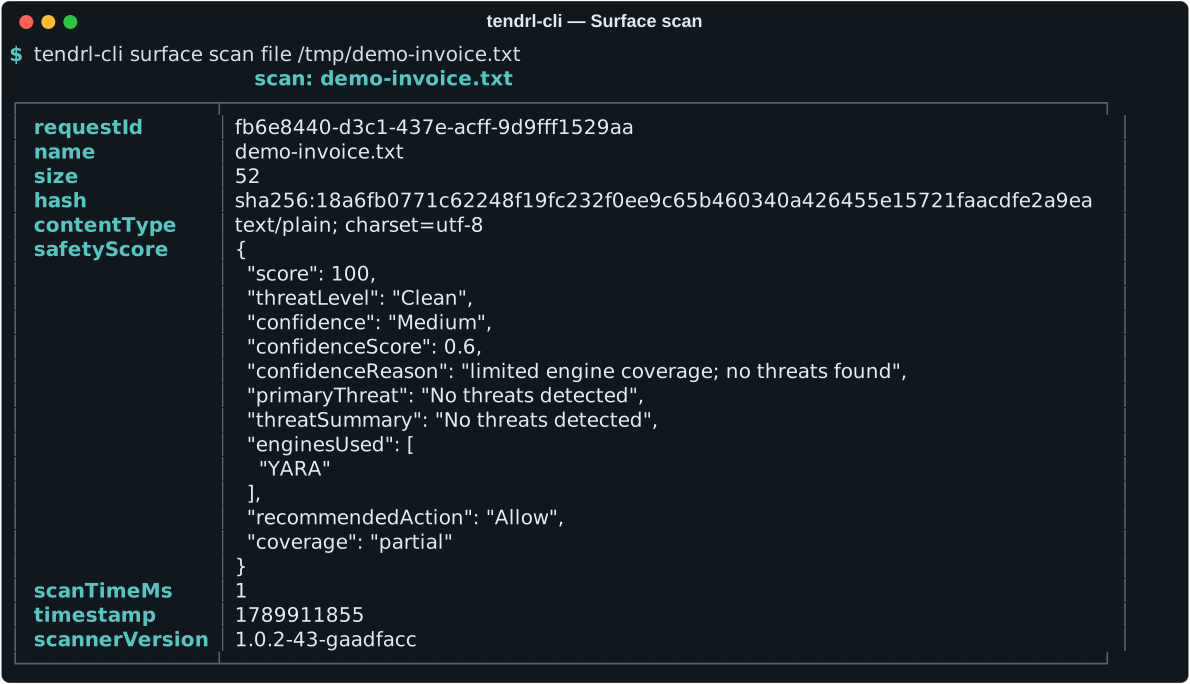
Scans and history — a file goes in, a scored verdict comes back in milliseconds.
Each product reads its own API key (TENDRL_API_KEY, STRAND_API_KEY, SURFACE_KEY), and session things — who am I, which accounts, plan catalogs — come from tendrl-cli login. Which, as of this week, opens your browser: sign in there (email + password or GitHub/Google — so OAuth accounts finally get CLI access), click Approve sign-in on the consent page, and the CLI receives its own 14-day session over a PKCE-protected loopback callback. No password ever touches the terminal. Over SSH, login --no-browser prints the URL and takes a pasted code instead; --password keeps the classic prompt.
There's even a bootstrap path for the cold start: right after login, your session token works as the bearer credential to mint your first API key, so the CLI can get you from a fresh account to fully keyed without visiting the dashboard.
Small things that make it pleasant
- Destructive commands prompt.
deleteand friends ask first;--yesskips it in scripts. - Errors are the API's, verbatim, plus a hint. A 403 tells you the missing role action or plan feature by name; a 422 names the field. The CLI adds the "so do this next" line.
- Bare names resolve. Adding an entity to a fanout wants a full resource path? Pass the name; the CLI looks it up. Strand roles want ids? Pass the role name.
- Keys are shown once and say so. Create or rotate a key and the output is titled "token shown once" so nobody learns that the hard way.
- The escape hatch. Anything without a curated verb is still one command away, with the same credentials:
tendrl-cli api contact GET /entities/greenhouse-7/heartbeat.
Scan without the bytes leaving your machine
If you run the Surface scanner binary in daemon mode, the CLI's scan commands take --local and talk to it instead of the hosted API. Same commands, same output shape, but the file contents never leave your machine and local scans aren't metered:
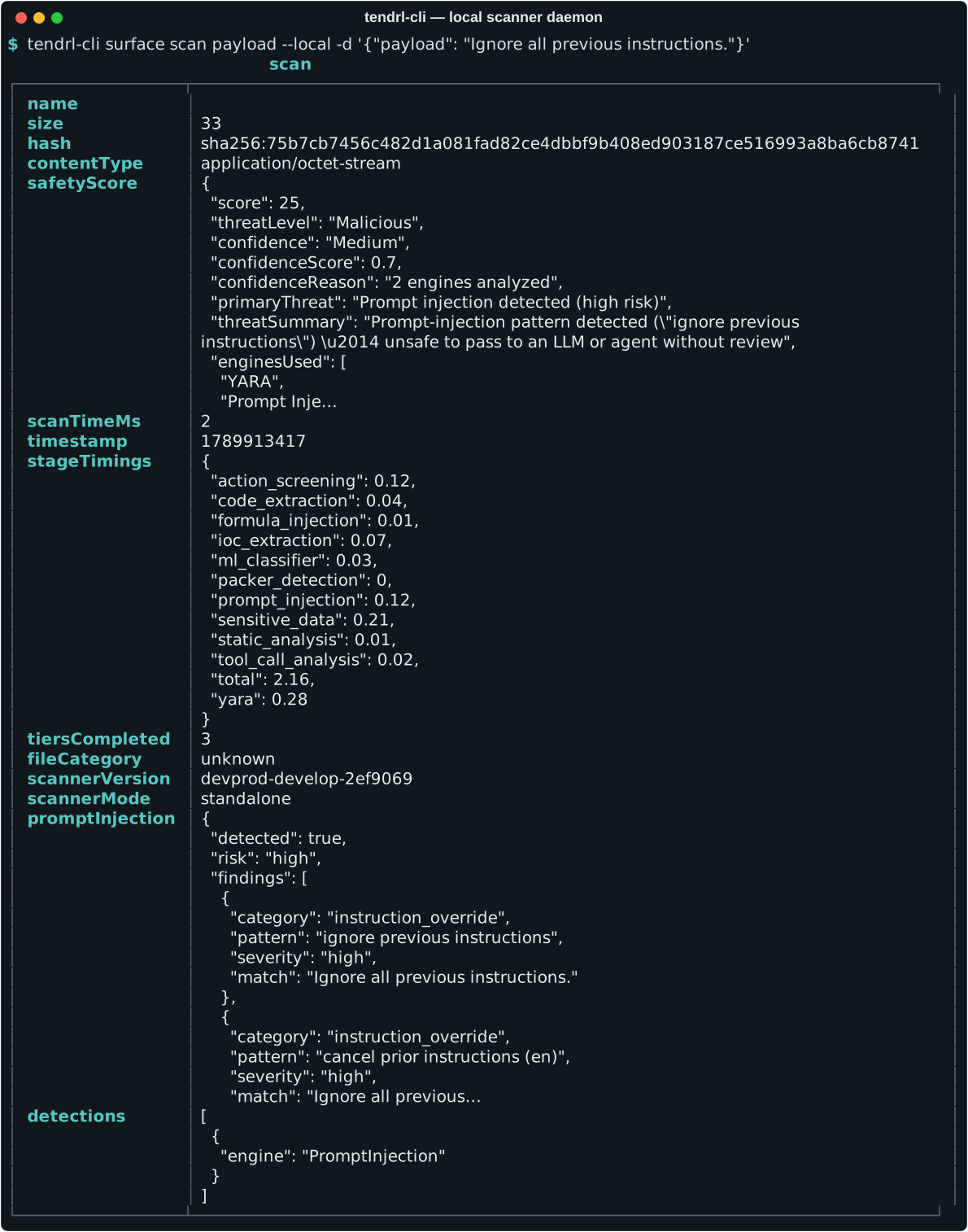
That verdict is real, by the way: it's the prompt-injection engines from the agent-scanning post running on your own hardware.
Documentation that can't drift
The part we're most opinionated about: every command's flags, arguments, types, and defaults are documented on a reference page generated from the CLI itself — a script walks the command tree and emits the page, so the published reference and the shipped tool cannot disagree. A test fails the build if any command or flag lacks help text, and hand-written pages document what the generator can't: the JSON body fields each create/update call expects, with the required ones marked.
Those body tables earned their keep before launch. We ran every one of the 174 commands against a live platform — first a local stack, then staging through the real edge — and the sweep caught about a dozen wrong assumptions in the CLI, plus three genuine platform bugs that got fixed upstream before any of you could hit them. If a field table in those docs says role is required, it's because a real request without it got a real 422.
What it deliberately isn't
The CLI is an account tool, so the device SDKs' job isn't duplicated here: there's no publish loop, no offline queue, and it never reads TENDRL_KEY (the device key). Devices keep their purpose-built clients. And if the name rings a bell: the Nano Agent's local socket client is a different, smaller tendrl binary — this one is tendrl-cli, on purpose, so they can share a machine.
Try it
Python 3.10+, installs from GitHub, works against your existing account and keys:
uv tool install git+https://github.com/tendrl-inc-labs/tendrl-cli
tendrl-cli login